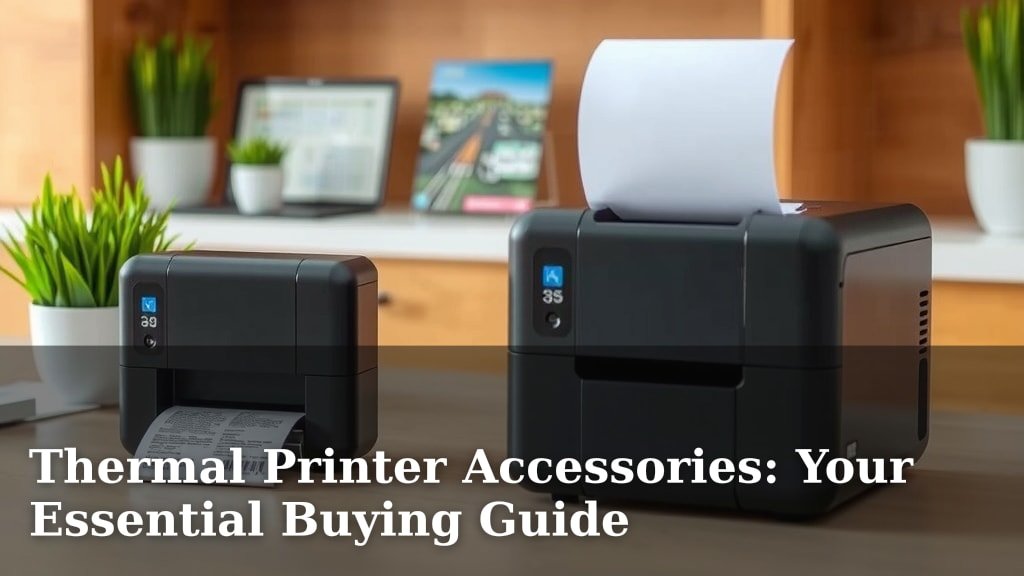
Thermal Printer Accessories: Your Essential Buying Guide
Getting the most out of your thermal printer means having the right accessories. You can significantly improve your printer’s performance and extend its lifespan with key thermal printer accessories. Choosing the best ones ensures smoother operations and fewer headaches down the line.
Think of accessories as the supporting cast for your printer’s star performance. From keeping it clean to feeding it the right materials, these items are essential for optimal printing. We’ve looked into what really makes a difference for your thermal printing needs.
- What are the must-have thermal printer accessories?
- How do accessories help your printer last longer?
- What kind of labels or media do you need?
- Are cleaning supplies important?
- How do protective covers help?
Ready to give your thermal printer the upgrade it deserves? Let’s dive into the world of thermal printer accessories and find the perfect fits for your setup.
You’ve got your thermal printer, and you’re ready to start printing labels, receipts, or tickets. That’s great! But to make sure your printer runs smoothly, lasts a long time, and keeps giving you great results, you need to think about its supporting cast: the accessories. These aren’t just extras; they’re often essential for optimal performance.
Equipping Your Thermal Printer for Success
Think of accessories as essential tools for your printer’s job. They help maintain quality and prevent problems. Without the right gear, you might face printing errors or even damage your machine. Let’s look at what helps your printer perform at its best.
Essential Media: The Lifeblood of Your Printer
The most fundamental accessory is, of course, the printing media itself. For thermal printers, this usually means specialized thermal paper or labels. The type you choose directly impacts print quality and durability.
Direct Thermal vs. Thermal Transfer Labels
It’s important to know that not all thermal printers are the same, and neither are their labels. You’ll primarily encounter two types of thermal printing technology, and each requires different media.
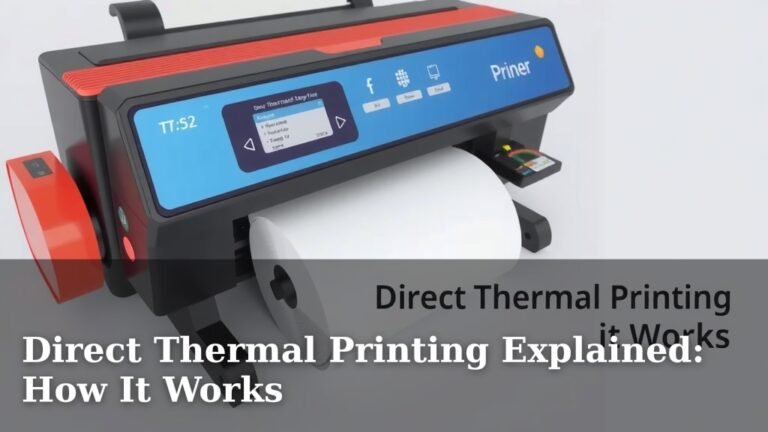
- Direct Thermal: This method uses heat to activate a chemical reaction on special heat-sensitive paper. No ribbon is needed. These are common for receipts and shipping labels. The print can fade over time, especially with exposure to heat and light. Many guidelines suggest direct thermal for short-term use (e.g., shipping labels that arrive quickly) (U.S. Postal Service).
- Thermal Transfer: This technology uses a heated print head to melt ink from a ribbon onto the label material. It produces more durable and long-lasting prints. This is often preferred for product labels, asset tags, and barcodes that need to withstand more wear and tear. Research suggests thermal transfer prints are more resistant to fading and smudging (National Association of Printing Ink Manufacturers).
Choosing the Right Label Material
Beyond the printing method, the actual material of your labels matters. You’ll find options like:
- Paper Labels: These are the most common and cost-effective. They work well for general-purpose labeling but are susceptible to moisture and tearing.
- Synthetic Labels: Made from materials like polyester or polypropylene, these are much more durable. They are water-resistant, chemical-resistant, and can withstand extreme temperatures. They’re a great choice for harsh environments or products that might get wet.
- Specialty Labels: This includes things like removable labels, tamper-evident labels, or labels designed for specific surfaces (e.g., fabric, metal).
Keeping It Clean: The Importance of Cleaning Supplies
Just like any machine, your thermal printer needs regular cleaning to function correctly. Dust, debris, and leftover adhesive can build up and cause print quality issues or even damage the print head. Regular cleaning is a key part of printer maintenance.
What to Clean and How Often
The most critical component to keep clean is the print head. A dirty print head can lead to faint lines, missing dots, or poor print clarity. You should also clean the platen roller and any sensors.
We found that many experts recommend cleaning the print head after every roll of labels or at least once a month, depending on your usage. The platen roller should be cleaned less frequently, perhaps quarterly.
Types of Cleaning Supplies
You’ll want specific cleaning products designed for thermal printers:
- Print Head Cleaning Pens: These are convenient and easy to use. They have a felt tip saturated with a cleaning solution. You simply swipe the tip across the print head element.
- Cleaning Wipes: Pre-moistened wipes are another excellent option. They contain a cleaning solution and are often lint-free, making them ideal for gentle yet effective cleaning.
- Isopropyl Alcohol (IPA): For deeper cleaning or if you don’t have specialized supplies, a high-purity isopropyl alcohol (90% or higher) on a lint-free cloth can be used. However, be sure to let it evaporate completely before printing. Always check your printer’s manual before using IPA.
Remember to never use abrasive materials or harsh chemicals, as these can permanently damage the print head. Always turn off and unplug your printer before cleaning.
Protection and Organization: Cases and Stands
Sometimes, the best accessory is one that protects your printer or helps you organize your workspace. These items can prevent damage and improve efficiency.
Protective Covers and Cases
If your printer is in an environment with dust, moisture, or potential physical impact, a protective cover is a smart investment. These can be simple dust covers or more robust cases designed for transport or harsh conditions.
A good cover helps keep dust out of vents and away from sensitive components. This reduces the need for frequent cleaning and can extend the life of your printer. Think of it like a jacket for your printer, keeping it safe from the elements.
Printer Stands and Mounts
For businesses that print a high volume of labels or receipts, a stand can be a game-changer for workflow. A stand can lift the printer to a more ergonomic height, making it easier to access.
Some stands are designed to hold a large roll of labels beneath the printer, feeding them up smoothly. This integration can prevent labels from getting tangled or damaged on the floor. It also keeps your workspace tidier. We found that organized workspaces often lead to increased productivity.
Power and Connectivity: The Unsung Heroes
While often overlooked, the power adapter and connection cables are vital accessories. Without them, your printer simply won’t work!
Power Adapters and Batteries
Ensure you have the correct power adapter for your specific printer model. Using the wrong adapter can damage the printer or lead to poor performance. Some portable thermal printers also use rechargeable batteries. Keeping a spare battery charged and ready can be essential for mobile workforces, ensuring you never miss a printing opportunity.
Cables and Connectivity Options
Your printer will connect to your computer or network via cables or wireless technology. Common connections include USB, Ethernet, or Wi-Fi. Make sure you have the right USB cable or network cable if you’re using a wired connection.
For wireless printing, ensure your Wi-Fi adapter or Bluetooth module is functioning correctly. Reliable connectivity is key to smooth operations, especially in busy environments. A dropped connection can halt your workflow instantly.
Managing Your Media: Label Rewinders and Dispensers
For high-volume printing operations, accessories that manage your labels can significantly boost efficiency.
Label Rewinders
As your printer produces labels, they can accumulate. A label rewinder attaches to the back of your printer and automatically winds the printed labels onto a core. This keeps the labels neat and prevents them from dragging on the floor or getting crushed.
This is especially useful for continuous printing jobs. It helps prevent jams and ensures the printed labels are ready for the next step in your process, whether that’s application or packing. We’ve seen how a simple rewinder can streamline the entire labeling workflow.
Label Dispensers
Once labels are printed, you often need to peel and apply them. A label dispenser automates this process. You feed the printed label roll into the dispenser, and it automatically peels each label off its backing as you pull it forward.
This is a huge time-saver compared to manual peeling. It ensures each label is presented cleanly and ready for application. This accessory is particularly beneficial for businesses that apply many labels by hand. It helps maintain a consistent application speed.
Accessories Checklist for Optimal Thermal Printing:
- Correct Media: Ensure you’re using the right type of thermal paper or labels for your printer (direct thermal vs. thermal transfer).
- Cleaning Supplies: Keep print head cleaning pens or wipes on hand for regular maintenance.
- Protective Cover: If your printer is exposed, a dust cover can prevent damage.
- Appropriate Cables: Have the right USB or network cables for reliable connectivity.
- Power Supply: Use the manufacturer-recommended power adapter.
- Optional Efficiency Boosters: Consider label rewinders or dispensers for high-volume use.
Conclusion
You’ve learned that the right thermal printer accessories are more than just extras; they’re essential for smooth operation and longevity. From selecting the correct media like direct thermal or thermal transfer labels to maintaining your printer with cleaning supplies, each accessory plays a vital role. Protecting your printer with covers and organizing your workspace with stands can also boost efficiency. Investing in these supporting tools ensures your thermal printer performs reliably and delivers quality prints consistently.
Your next step is to assess your current setup and identify which accessories will best support your printing needs. A quick check of your printer’s manual will help you confirm compatibility. You’re now well-equipped to make informed choices that will benefit your printing workflow.
Frequently Asked Questions
How often should I clean my thermal printer’s print head?
We found that experts generally recommend cleaning your thermal printer’s print head after every roll of labels or at least once a month. This frequent cleaning helps prevent print quality issues like faint lines or missing dots. Always refer to your printer’s manual for specific cleaning advice.
What’s the main difference between direct thermal and thermal transfer labels?
Direct thermal labels use heat to create an image on special paper, requiring no ribbon but can fade over time. Thermal transfer labels use a ribbon and heat to melt ink onto the label, resulting in more durable, long-lasting prints. We recommend thermal transfer for items needing to withstand wear and tear.
Can I use any kind of paper or label with my thermal printer?
No, you must use media specifically designed for thermal printers, either direct thermal paper or labels, or thermal transfer labels and ribbons. Using incorrect media can lead to poor print quality, damage to your printer’s print head, or jams. Always check your printer’s specifications.
Are protective covers really necessary for thermal printers?
If your printer is located in a dusty, humid, or potentially hazardous environment, a protective cover is a wise investment. It helps keep debris out of sensitive components, reducing cleaning needs and preventing potential damage. This can significantly extend your printer’s lifespan.
What are label rewinders and dispensers used for?
Label rewinders automatically wind printed labels onto a core, keeping them neat and preventing tangles, which is great for high-volume printing. Label dispensers automatically peel each label from its backing as you need it, speeding up manual application. We see them as efficiency boosters for busy operations.