Thermal Paper Roll Dimensions Explained
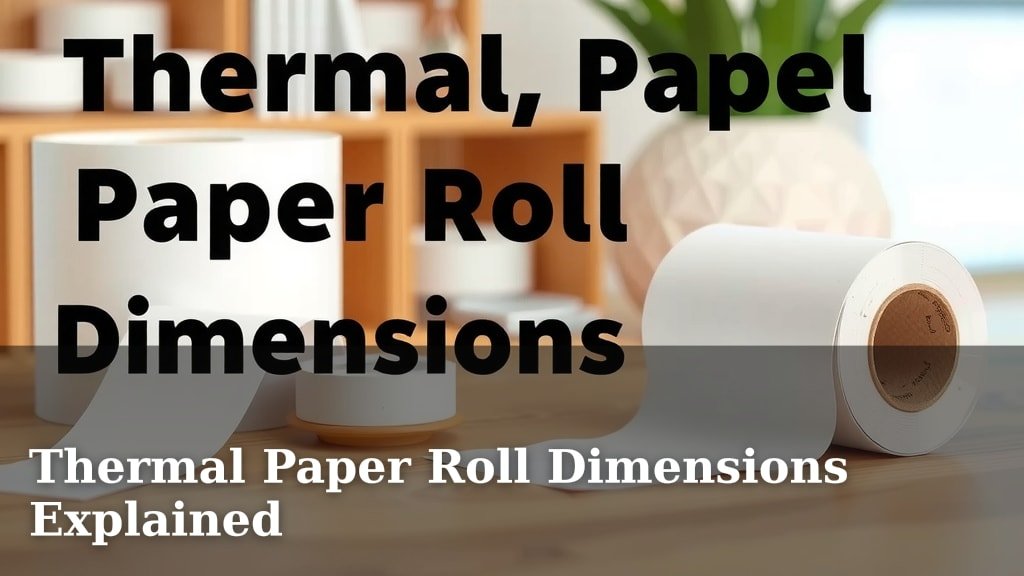
Thermal paper roll dimensions can seem a bit confusing at first. The most common thermal paper roll width is 3 1/8 inches, but you’ll also find rolls that are 2 1/4 inches or 3 inches wide. Getting the right size ensures your receipt printer works smoothly and your customers get their necessary purchase details.
Knowing the exact dimensions matters for more than just fit. It affects how much paper you get per roll and how often you’ll need to replace them. We found that using the correct thermal paper roll can even prevent printer jams and extend the life of your equipment.
- Common widths: 3 1/8 inch, 2 1/4 inch, 3 inch.
- Core sizes usually range from 7/16 inch to 1 inch.
- Roll diameter affects total length.
- Always check your printer’s manual for compatibility.
- Ensure width matches your printer’s slot exactly.
Let’s walk through the different thermal paper roll dimensions and what you need to know to pick the perfect fit for your business.
Understanding Your Thermal Paper Roll Sizes
Choosing the right thermal paper roll size is more important than you might think. It’s not just about whether it fits; it’s about ensuring your operations run smoothly. We’ve found that many businesses overlook the specifics of these rolls, leading to printer issues and extra costs. Let’s break down the different dimensions so you can make informed choices.
The Key Dimensions: What to Measure
When you’re looking at thermal paper rolls, three main measurements matter: width, diameter, and core size. These numbers tell you everything you need to know about the roll’s physical characteristics.
Paper Width: The Most Critical Factor
The width of the paper is the most straightforward dimension. It refers to the actual width of the paper itself before it’s rolled onto the core. This is the number you’ll see listed first, like 3 1/8 inches.
Why is this the most critical? Because your printer has a specific slot designed for a particular paper width. If the paper is too wide, it won’t feed through properly or might jam. If it’s too narrow, you might get extra white space on your receipts, wasting paper and making them harder to read.
We found that the most common thermal paper width for point-of-sale (POS) systems is 3 1/8 inches. This size is used by many popular receipt printers. However, other widths are very common too.
- 2 1/4 inch: Often used for credit card machines and smaller receipt printers.
- 3 inch: Frequently seen in kitchen printers or for labels where more width is needed than 2 1/4 inch but less than 3 1/8 inch.
- 4 inch: Typically used for shipping labels or larger format printing.
Always double-check the exact width your printer requires. Your printer’s manual is your best friend here. We recommend measuring the paper slot on your printer if you’re unsure.
Roll Diameter: How Much Paper You Get
The diameter of the roll tells you how large the entire paper roll is. This includes the paper itself and the cardboard core it’s wrapped around. A larger diameter means more paper on the roll.
So, what’s the benefit of a larger diameter? It means fewer roll changes. Think about how often you have to swap out a nearly empty roll for a new one. More paper per roll means less interruption to your workflow.
Common diameters you’ll see range from about 1.5 inches to over 3 inches. The specific diameter often correlates with the core size and the desired paper length.
Diameter vs. Paper Length: The Connection
It’s important to understand that diameter isn’t the same as paper length, but they are closely related. A wider roll (larger diameter) will typically hold more paper than a narrower roll (smaller diameter), assuming the core size is the same. However, the actual length of paper on a roll is determined by the thickness of the paper and how tightly it’s wound.
We’ve seen rolls with the same diameter that have different paper lengths. This is usually due to variations in paper thickness or how the manufacturer wound the paper. When comparing rolls, look for the specified paper length if it’s provided. This gives you a clearer picture of how much you’re actually getting.
Core Size: The Inner Tube
The core is the cardboard tube in the center of the roll. Most thermal paper rolls have a core size of 7/16 inch (for smaller credit card slips) or 1 inch (for standard receipt printers). Some specialized printers might use different core sizes.
Why does this matter? The core needs to fit snugly onto the spindle or holder in your printer. If the core is too small, the roll might be loose and spin erratically. If it’s too large, it simply won’t fit onto the spindle.
Most common POS receipt printers are designed for 1-inch cores. Credit card terminals often use smaller cores, like 7/16 inch or sometimes 1/2 inch. We found that using the wrong core size can prevent the roll from being inserted at all, or cause it to feed unevenly.
Standard Thermal Paper Roll Sizes Explained
Let’s look at some of the most frequently encountered thermal paper roll dimensions and their typical applications.
The Ubiquitous 3 1/8″ x 230′ Roll
If you’ve ever wondered which thermal paper roll is the most common, this is likely it. The 3 1/8 inch width is standard for many POS receipt printers.
The length, often around 230 feet, is also a popular choice. This length offers a good balance between having enough paper to last a decent amount of time and fitting comfortably within typical printer specifications. We found that this size is a safe bet for many general retail and restaurant applications.
These rolls usually come with a 1-inch core, which fits most standard receipt printer spindles. Always check your printer’s requirements to confirm, but this is a go-to size for many.
The Compact 2 1/4″ x 85′ Roll
These smaller rolls are often seen where space is limited or transaction volume is lower. The 2 1/4 inch width is perfect for compact credit card terminals and portable receipt printers.
The length is usually much shorter, often around 85 feet. This means you’ll be changing these rolls more frequently than the larger 3 1/8″ versions. However, for their intended use, they are highly efficient and cost-effective.
Many of these smaller rolls use a 7/16 inch core. This smaller core fits the compact design of the devices they are used with. We found that these are ideal for mobile POS setups or businesses with very few daily transactions.
The Versatile 3″ x (Various Lengths) Roll
The 3 inch width offers a middle ground. It’s wider than the credit card slip rolls but narrower than the most common POS receipt rolls.
These can be used for various purposes. Some businesses use them for receipts when they want a slightly larger print area. Others use them for kitchen or order tickets, where a bit more information needs to be displayed clearly.
The length of 3-inch rolls can vary significantly. You might find rolls that are 100 feet, 150 feet, or even longer. The core size is typically 1 inch, fitting standard printers. We’ve seen these used effectively for specialized printing needs where the standard 3 1/8 inch is just a bit too wide.
How to Find the Right Size for Your Printer
Getting the correct thermal paper roll dimensions is essential for smooth operation. Don’t guess; follow these steps to ensure you get it right every time.
1. Consult Your Printer’s Manual
This is the golden rule for choosing any printer supply. Your printer’s manufacturer knows best. The manual will specify the exact paper width, maximum roll diameter, and the required core size.
If you don’t have the physical manual, a quick online search for your printer’s model number plus “manual” should bring up a digital copy. We found that manufacturers often list these specs under sections like “Specifications” or “Supplies.”
2. Check Your Existing Rolls (If You Have Them)
If your printer is currently working, take a look at the roll you’re using. The dimensions are often printed on the cardboard core itself or on the outer wrapper of a new roll.
You can also measure the existing roll. Use a ruler to measure the width of the paper. Measure the diameter of the entire roll. Then, measure the diameter of the cardboard core.
3. Measure Your Printer’s Paper Feed Slot and Spindle
If you’re still unsure, or if you’ve lost the manual and have no existing rolls, you can measure your printer directly.
Paper Width: Gently insert a ruler into the paper feed slot where the receipt comes out. This will give you a good idea of the maximum width the printer can accommodate. Aim for a paper width that is slightly less than this maximum to allow for easy feeding.
Core Size: Measure the diameter of the spindle that the paper roll sits on. This will tell you the core size you need. If the spindle is roughly 1 inch across, you need a 1-inch core. If it’s much smaller, it’s likely for a 7/16 inch core.
Roll Diameter: While less critical than width and core, check if your printer has any physical limitations on how large a roll can be. Some compact printers might not accommodate very large diameter rolls. We found that most standard POS printers can handle rolls up to 3 inches in diameter, sometimes even a bit larger.

Common Pitfalls to Avoid
Even with the best intentions, it’s easy to make a mistake when ordering thermal paper. Here are some common issues we’ve seen businesses run into.
Ignoring the Core Size
As we mentioned, the core size is crucial. A roll that doesn’t fit the spindle won’t work. It seems simple, but it’s a common oversight. Always confirm the core size requirement.
Assuming All “Receipt Paper” is the Same
The term “receipt paper” is broad. It can refer to thermal paper, but also to carbonless copy paper or even plain paper in some older printers. Ensure your printer specifically uses thermal paper. If it requires ink, thermal paper won’t work.
Purchasing “Close Enough” Widths
A quarter inch can make a big difference. Don’t assume a 3-inch roll will work if your printer calls for 3 1/8 inch. The printer might jam, or the print might be off-center. Always match the exact width. We found that buying the correct width upfront saves a lot of headaches and potential repair costs.
Not Considering Roll Length and Diameter
While not a compatibility issue, choosing a roll with a very small diameter means frequent replacements. This can disrupt your checkout process. On the other hand, a roll that is too large in diameter might not fit in your printer’s compartment. Balance your need for paper length with the physical constraints of your device.
Quick Checklist for Ordering Thermal Paper Rolls
Before you hit that “add to cart” button, quickly run through this checklist:
- Is my printer a thermal printer (does it print without ink)?
- What is the exact required paper width (e.g., 3 1/8″, 2 1/4″, 3″)?
- What is the required core size (e.g., 1″, 7/16″)?
- What is the maximum acceptable roll diameter for my printer?
- Do I want a longer roll to reduce changes, or is a standard length sufficient?
- Have I checked my printer’s manual or existing roll for confirmation?
Conclusion
Navigating thermal paper roll dimensions doesn’t have to be a puzzle. You’ve learned that width, diameter, and core size are the key players in ensuring your receipt printer runs smoothly. We’ve seen how the most common 3 1/8″ x 230′ rolls suit many businesses, while compact 2 1/4″ options work for smaller terminals. By checking your printer’s manual or measuring your existing setup, you can confidently select the right rolls.
Don’t let a wrong-sized roll disrupt your operations. Your next step is simple: grab your printer’s model number and check its specifications online or in its manual. Ordering the correct thermal paper is a small detail that makes a big difference in your daily workflow.
Frequently Asked Questions
What happens if I use a thermal paper roll that’s too wide?
If your thermal paper roll is too wide for your printer’s slot, it likely won’t feed through properly. We’ve found this often leads to paper jams, which can be frustrating and may even cause damage to your printer’s internal mechanisms over time.
Can I use a thermal paper roll with a different core size than what my printer specifies?
No, it’s generally not recommended. The core size must match your printer’s spindle. We’ve seen that a core that’s too small can cause the roll to be loose and spin erratically, while a core that’s too large simply won’t fit, making the roll unusable.
How do I know if my printer uses thermal paper or requires ink?
If your printer prints receipts without an ink ribbon or cartridge, it’s almost certainly a thermal printer. You can also check your printer’s manual; it will clearly state whether it uses thermal paper or a different printing technology.
Does a larger diameter roll always mean more paper length?
Not always, though it’s often related. A larger diameter roll typically holds more paper, but the actual paper length depends on the thickness of the paper and how tightly it’s wound. We recommend checking the specified paper length on the packaging for the most accurate information.
Is it okay to buy a thermal paper roll that’s slightly narrower than my printer’s requirement?
While a slightly narrower roll might feed through, we advise against it. Your receipts might have excessive white space on the sides, wasting paper and potentially making them harder to read. It’s always best to match the exact required width for optimal printing and efficiency.