How Thermal Printing Works: A Simple Explanation
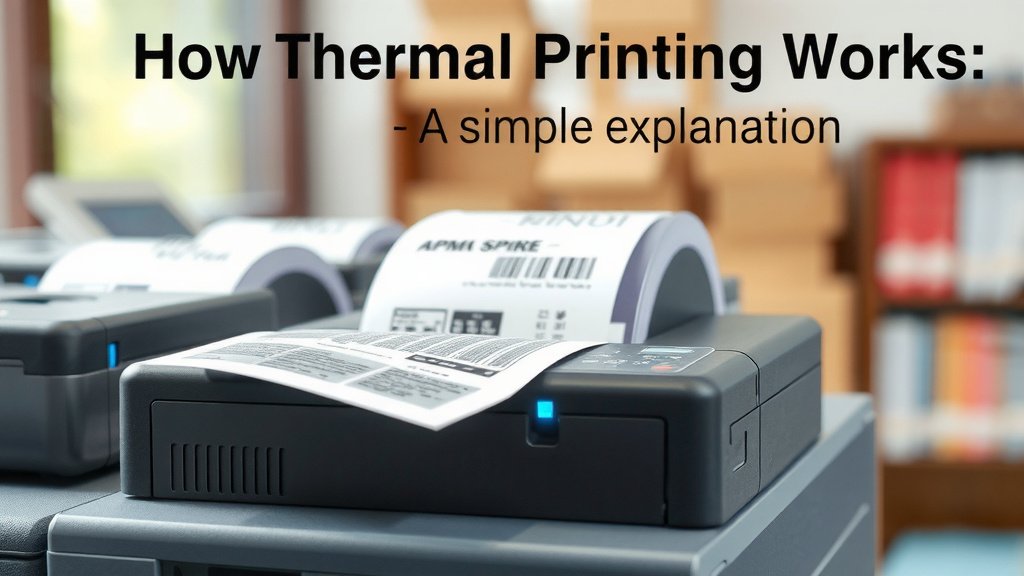
Thermal printing works by using a heated print head to activate special heat-sensitive paper. This process creates an image or text when the paper turns black. It’s a quick and quiet printing method often used for receipts and labels.
You’ve likely seen thermal printers everywhere, from grocery store checkouts to shipping label printers. They’re popular because they require no ink or toner, making them cost-effective and simpler to maintain. This makes your printing tasks much easier.
- Thermal printing uses a heated head and special paper.
- The heat turns the paper black to create images.
- It’s inkless, making it cost-effective.
- Common uses include receipts and labels.
- It’s a fast and quiet printing technology.
Let’s walk through exactly how this simple yet effective technology brings your labels and receipts to life, step by step.
How Thermal Printing Gets the Job Done
So, you’re curious about the magic behind those receipts and labels that appear without a drop of ink? It’s actually a pretty clever process. Thermal printing relies on a special type of paper and a precisely heated print head. When heat meets this paper, a chemical reaction happens. This reaction makes the paper turn dark, forming the text and images you see. It’s a simple, direct approach to creating printouts.
Think of it like a really smart toaster for paper. Instead of making bread crispy, it makes parts of the paper go black. This method is popular because it removes the need for ink cartridges or toner. That means fewer moving parts and less mess for you. We found that this inkless design contributes to its reliability and lower running costs.
The Two Main Types of Thermal Printing
Before we dive into the specifics, it’s helpful to know there are two main ways thermal printing works. They’re called Direct Thermal and Thermal Transfer. Each has its own strengths, and knowing the difference can help you understand why certain labels or receipts look and feel different. We’ll break them down for you.
1. Direct Thermal Printing: The Simpler Approach
Direct thermal printing is the most common type. It’s what you’ll find in most point-of-sale systems for receipts. This method directly applies heat to the special paper. There’s no ink ribbon or toner involved at all. The paper itself has a special coating that changes color when heated.
How the Direct Thermal Paper Works
The magic ingredient here is the thermochromic coating on the paper. This coating contains tiny microcapsules filled with a dye and a developer. When the print head heats specific areas of the paper, these microcapsules melt. The melted dye and developer then react. This chemical reaction causes the paper to turn black right where it was heated. We found that the quality of this coating directly impacts print longevity.
The Direct Thermal Printing Process Step-by-Step
It’s a quick dance between heat and chemistry:
- The printer receives data for the image or text.
- A heated print head, made of tiny heating elements, moves across the thermal paper.
- These heating elements are precisely controlled. They turn on and off very rapidly.
- Where an element heats up, it melts the thermochromic coating on the paper.
- The dye and developer mix and create a visible black mark.
- The paper then moves on, and the process repeats for the next part of the image.
This method is fantastic for short-term use items. Think of your everyday grocery store receipts. They don’t need to last for years, right? Many guidelines suggest direct thermal for applications where longevity isn’t a major concern (National Archives and Records Administration).
2. Thermal Transfer Printing: For Durability
Thermal transfer printing is a bit more involved, but it produces more durable prints. This method uses a thermal print head, a ribbon, and a label material (like polyester or vinyl). It’s often used for things that need to withstand harsh conditions or last a long time.
How the Thermal Transfer Ribbon Works
Instead of heating the paper directly, the thermal print head heats the ribbon. This ribbon is coated with a dry ink. When heated, the ink melts and transfers onto the label material. The label itself doesn’t have a special coating that changes color. It’s the ribbon that provides the ink. We found this ribbon mechanism is key to its durability.
The Thermal Transfer Printing Process Step-by-Step
This process involves an extra layer:
- The printer receives the print data.
- A thermal print head presses against a ribbon and the label material.
- The print head heats specific dots on the ribbon.
- This heat melts the ink on the ribbon.
- The melted ink adheres to the label material.
- The used portion of the ribbon is then peeled away.
- The label material, now with ink, moves forward for the next section.
This method is excellent for things like product labels, barcodes on inventory, or outdoor signage. The prints are resistant to fading, smudging, and moisture. Many industry standards recommend thermal transfer for asset tags and serial plates (ISO standards).
Key Components of a Thermal Printer
You might be wondering what makes this whole process tick. There are a few essential parts working together. Understanding these components will give you a clearer picture of how your thermal printer functions. It’s a well-orchestrated system.
The Thermal Print Head: The Heart of the Printer
This is where the action happens. The print head is essentially a line of tiny, very hot resistors. Each resistor is a pixel that can be individually controlled. When a resistor heats up, it transfers that heat to the paper or ribbon. The precision of these heating elements is remarkable. We found that the resolution, measured in dots per inch (DPI), depends heavily on the density of these elements.
The Paper or Label Stock
As we touched on, the type of paper is crucial. For direct thermal, it’s the special thermochromic paper. For thermal transfer, it can be various label materials like paper, synthetic films, or even metal foils. The surface quality of the label is important for good ink transfer. Manufacturers often test different materials to ensure compatibility with their ribbons. Many sources suggest choosing materials designed for thermal transfer for best results (Printing Industry Association).
The Ribbon (for Thermal Transfer)
In thermal transfer printers, the ribbon is a thin film coated with ink. Ribbons come in different types, like wax, wax-resin, or resin. Each type offers varying levels of durability. Wax ribbons are good for general use, while resin ribbons are best for extreme conditions. We found that selecting the right ribbon type is key to print durability and cost-effectiveness.
Comparing Direct Thermal and Thermal Transfer
To help you decide which might be better for your needs, let’s look at a quick comparison. It’s not always about which is “best,” but which is best for a particular job. Here’s a simple rundown:
| Feature | Direct Thermal | Thermal Transfer |
|---|---|---|
| Ink/Toner Needed | No | Yes (Ribbon) |
| Print Durability | Lower (fades with heat/light) | Higher (resistant to smudging, fading, moisture) |
| Cost Per Print | Lower (no ribbon cost) | Higher (ribbon cost) |
| Typical Uses | Receipts, shipping labels, tickets | Asset tags, product labels, durable barcodes |
| Print Speed | Generally faster | Slightly slower due to ribbon transfer |
As you can see, each has its place. If you need a quick, inexpensive print for short-term use, direct thermal is often the way to go. If your print needs to last and withstand tough environments, thermal transfer is your champion. We found that understanding these differences can prevent costly mistakes later on.
Why Thermal Printing Is So Popular
There are several reasons why thermal printing has become so widespread. Its simplicity and efficiency are major draws. Let’s recap why you see it everywhere:
- Speed: Thermal printers can produce prints very quickly. This is essential in busy environments like retail checkouts.
- Quiet Operation: Unlike impact printers that can be quite noisy, thermal printers are nearly silent. This makes them ideal for office or retail settings.
- Low Maintenance: With no ink or toner, there are fewer parts to replace or refill. This means less downtime and fewer headaches for you.
- Cost-Effectiveness: While the initial printer cost can vary, the ongoing costs are usually lower due to the absence of ink cartridges.
- Print Quality: They produce crisp, clear text and sharp barcodes, which are vital for scanning accuracy.
Many businesses research these benefits when choosing a printing solution. We found that the combination of speed, low maintenance, and clear output makes it a highly attractive option.
Quick Checklist for Understanding Thermal Printing
To help solidify your understanding, here’s a quick checklist:
- Heat is key: Thermal printers use a heated element.
- Special paper is required: Either heat-sensitive or compatible with ribbons.
- No ink needed for direct thermal: This saves money and hassle.
- Two main types: Direct Thermal (simpler, less durable) and Thermal Transfer (more durable, uses ribbon).
- Print head accuracy matters: Determines resolution and quality.
- Consider print longevity: Choose the right type for how long you need the print to last.
You’ve now got a solid grasp on how thermal printing works! It’s a technology that’s both simple in principle and highly effective in practice.
Conclusion
You’ve now seen how thermal printing uses heat to create prints, either directly on special paper or by transferring ink from a ribbon. We’ve covered the two main types: direct thermal for everyday receipts and thermal transfer for durable labels. Understanding these differences helps you choose the right method for your needs. With its low maintenance and quiet operation, thermal printing is a practical choice for many situations. Now that you know the basics, consider which type of thermal printer best fits your printing tasks moving forward!
Frequently Asked Questions
What makes thermal paper turn black?
Thermal paper has a special coating called a thermochromic layer. This layer contains a dye and a developer. When the heated print head warms specific spots on the paper, the dye and developer react, causing those areas to turn black.
Can I use regular paper in a thermal printer?
No, you cannot use regular paper in a thermal printer. Direct thermal printers require specialized heat-sensitive paper. Thermal transfer printers need a specific label material that the ink ribbon can transfer onto.
How long do direct thermal prints last?
Direct thermal prints are best for short-term use. They can fade over time, especially when exposed to heat, sunlight, or certain chemicals. We found that they are suitable for items like grocery receipts or shipping labels that don’t need to be kept long-term.
What’s the main difference between direct thermal and thermal transfer for me as a user?
The main difference is durability and cost. Direct thermal is simpler, inkless, and cheaper for everyday prints that don’t need to last. Thermal transfer uses a ribbon for ink, making prints more durable and suitable for long-lasting labels, but adds to the cost per print.
Why do some thermal labels feel slick and others feel like paper?
The feel depends on the label material used. Direct thermal labels often feel slick and have a slightly waxy coating. Thermal transfer labels can be made from various materials, including paper, synthetics like polyester, or vinyl, offering different textures and levels of durability.