Thermal Printer Guide for Small Business Success
Yes, a thermal printer can be a fantastic tool for your small business, especially if you need to print receipts, shipping labels, or product tags quickly and affordably. These printers use heat to create images, meaning no ink or toner is ever needed, which can save you a lot of money and hassle over time. You’ll find they dramatically speed up your checkout or packing process.
Many small businesses find that the cost savings and convenience of thermal printers make them a worthwhile investment. They are often more durable and require less maintenance than traditional printers. Think about how much time you currently spend on printing tasks; a thermal printer can cut that time significantly.
TL;DR:
- Thermal printers are great for small businesses.
- They are fast and affordable for printing labels and receipts.
- No ink or toner means lower running costs.
- They can save you significant time.
- Consider one for your shipping or sales needs.
We found that understanding the different types and features available is key to making the right choice for your specific business needs. Let’s get into the details to help you find the perfect thermal printer.
You’re looking for a printer that can keep up with your small business demands without breaking the bank. You need something reliable for those shipping labels or customer receipts. Thermal printers might be exactly what you need. They’re designed for speed and efficiency, and once you understand how they work, you’ll see why so many businesses love them.
Choosing the Right Printer for Your Business Needs
Selecting a thermal printer means looking beyond just the price tag. You want a machine that fits your workflow perfectly. Think about what you’ll be printing most often. This will guide you toward the right type and features. It’s about making smart choices that help your business grow.
Understanding Thermal Printing Technology
Thermal printers work differently than your typical inkjet or laser printers. They don’t use ink cartridges at all. Instead, they use heat to create images on special thermal paper or labels. This is a big reason why they are so low maintenance and cost-effective for businesses. No more running out of ink right before a big shipping day!
Direct Thermal vs. Thermal Transfer
There are two main types of thermal printing you’ll encounter. The first is direct thermal printing. This method uses heat to activate a chemical in the paper. The image appears as dark marks on the paper. These are great for receipts and shipping labels that don’t need to last for years. We found that direct thermal is popular for its simplicity and lower cost per label.
The second type is thermal transfer printing. This technology uses a heated ribbon to melt ink onto the label material. This creates a more durable print that is resistant to fading and scratching. Thermal transfer printers are often used for product labels, barcodes that need to be scanned repeatedly, or anything that needs to withstand harsh conditions. They are a bit more complex, requiring ribbon changes, but offer superior longevity.
Key Features to Consider for Your Business
When you’re comparing models, keep a few key features in mind. These will impact how well the printer serves your specific business. Think about speed, print quality, and connectivity.
Print Speed: How Fast Do You Need to Go?
For businesses that handle a lot of transactions or ship many packages, print speed is a major factor. Measured in inches per second (ips), higher numbers mean faster printing. We’ve seen that many small businesses find printers with speeds of 4 ips or higher to be perfectly adequate. If you’re in a super high-volume environment, you might want to look for speeds closer to 6 or 7 ips.
Resolution: Clarity for Barcodes and Text
Print resolution is measured in dots per inch (dpi). A higher dpi means sharper, clearer prints. For most standard receipts and shipping labels, a resolution of 203 dpi is usually sufficient. However, if you’re printing very small text, intricate graphics, or detailed barcodes, you might consider a printer with 300 dpi or even higher. Clear barcodes are essential for smooth scanning, so don’t skimp here if that’s your primary use.
Connectivity Options: How Will It Connect?
Your printer needs to talk to your computer or point-of-sale system. Common connection types include USB, Ethernet (for network connections), and Wi-Fi. Many modern printers also offer Bluetooth for wireless connectivity. Consider your existing setup. If you have multiple computers or devices that need to print, a network-connected printer (Ethernet or Wi-Fi) might be the most flexible option.
Label Size and Compatibility
Thermal printers work with specific sizes of thermal paper or labels. You’ll want to make sure the printer you choose can accommodate the sizes you use most often. Check the manufacturer’s specifications for the minimum and maximum label widths. It’s also important to use compatible thermal media; using the wrong type can damage the printer or result in poor print quality.
Where Thermal Printers Shine for Small Businesses
Thermal printers aren’t just general-purpose printers; they excel in specific roles within a small business. Knowing these applications can help you visualize how one could fit into your daily operations.
Shipping and E-commerce Operations
If you sell products online, a thermal printer is almost a necessity. Printing shipping labels directly from platforms like Shopify, Etsy, or Amazon is incredibly convenient. You can bypass the need to print on plain paper and then tape it down. A dedicated label printer creates professional-looking labels in seconds. We found that this step alone can significantly speed up your packing process. Imagine printing dozens of labels without ever needing to change an ink cartridge!
Retail Point-of-Sale (POS) Systems
For brick-and-mortar stores, thermal receipt printers are the standard. They provide customers with a printed record of their purchase quickly. Many modern POS systems integrate directly with thermal receipt printers. This ensures that your transactions are recorded accurately and efficiently. Customers appreciate a clear, legible receipt, and thermal printers deliver just that.
Inventory Management and Product Labeling
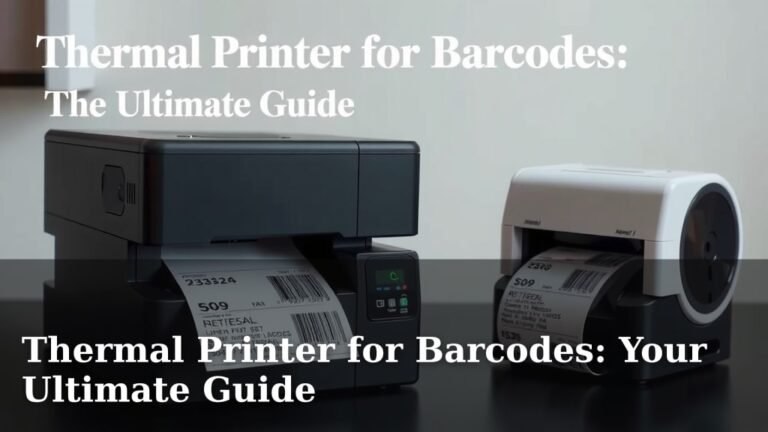
Keeping track of inventory is vital for any business. Thermal printers can be used to print barcodes and product identification labels. This makes scanning items for inventory counts or price checks much faster and more accurate. If you’re creating your own products, you can also print professional-looking product labels with ingredients, branding, or care instructions.
Event and Ticketing Needs
For small events, workshops, or even just internal use, thermal printers can be used for printing tickets or badges. The speed and ease of use make them ideal for on-demand printing. This can be especially helpful if you need to print a few extra tickets or name tags at the last minute.
Popular Applications and Use Cases
Let’s break down some specific ways small businesses are using thermal printers today. You might see your own business needs reflected here.
Direct Thermal for Speed and Simplicity
As we discussed, direct thermal is fantastic for items that don’t need to withstand extreme wear and tear. Think of:
- Customer receipts: Quick and easy printouts for every sale.
- Shipping labels: Directly from your e-commerce platform to the package.
- Name badges: For conferences or internal meetings.
- Food service order tickets: Clear, easily readable kitchen or bar tickets.
The simplicity of direct thermal means fewer consumables to manage. You just need the right thermal paper or labels.
Thermal Transfer for Durability and Longevity
When you need your printed information to last, thermal transfer is the way to go. This is ideal for:
- Asset tracking labels: For equipment or inventory that gets handled often.
- Product identification labels: Long-term branding and information on goods.
- Outdoor or harsh environment labels: For items exposed to weather or chemicals.
- Calibration labels: For equipment that requires regular checks.
The upfront cost might be slightly higher due to the ribbon, but the durable output is often worth it.
Getting Started: What You’ll Need
Once you’ve decided a thermal printer is right for you, there are a few things to consider to ensure a smooth setup. It’s not just about buying the printer itself.
The Printer Itself
This is the obvious one! Based on your needs (direct thermal vs. transfer, speed, resolution, connectivity), you’ll select your machine. We recommend reading reviews for models that fit your budget and requirements.
Thermal Paper or Labels
You can’t print without media! Ensure you purchase the correct type (direct thermal paper or labels, or thermal transfer labels and ribbons). Also, make sure the size and core diameter are compatible with your specific printer model. Many manufacturers offer their own brands of consumables, but third-party options can also be cost-effective.
Software or Drivers
Your printer will need software or drivers to communicate with your computer. Most thermal printers come with the necessary drivers that you can install from a disc or download from the manufacturer’s website. If you’re using a specific POS system or e-commerce platform, check their compatibility information. Some platforms might have built-in support for popular thermal printers.
A Reliable Workspace
While thermal printers are generally compact, you’ll still need a dedicated space for them. Ensure you have access to a power outlet and a stable surface. If you’re using a network printer, make sure it’s within range of your Wi-Fi or Ethernet connection.
Making Your Final Decision: A Quick Checklist
To help you narrow down your choices, consider these points:
- What will you print most often (receipts, labels, tags)?
- Do you need long-lasting, durable prints (thermal transfer) or quick, everyday prints (direct thermal)?
- How many items do you print per day or week? This helps determine speed needs.
- What devices will the printer connect to (computer, tablet, POS system)?
- What is your budget for the printer and ongoing media costs?
- Do you have enough space in your workspace for the printer?
Conclusion
You’ve learned how thermal printers can be a game-changer for your small business. They offer a low-cost, high-efficiency solution for printing receipts, shipping labels, and product tags. By understanding the difference between direct thermal and thermal transfer, and considering key features like speed and connectivity, you can make an informed choice. Investing in the right thermal printer will streamline your operations and save you time and money. Take a moment to review your current printing needs and identify the type of thermal printer that best fits your workflow. Your next step is to research specific models that match your requirements and budget to make this powerful tool work for you.
Frequently Asked Questions
What is the main difference between direct thermal and thermal transfer printers?
Direct thermal printers use heat to activate chemicals in special paper, creating images. They are simpler and often cheaper but fade over time. Thermal transfer printers use a heated ribbon to melt ink onto the label, resulting in more durable prints that resist fading and scratching.
Do I need special paper for a thermal printer?
Yes, you do. Direct thermal printers require direct thermal paper or labels that have a heat-sensitive coating. Thermal transfer printers use thermal transfer labels and require a ribbon to transfer the ink onto the label material.
Are thermal printers good for printing shipping labels?
Absolutely. Thermal printers are excellent for shipping labels, especially for e-commerce businesses. They print quickly and clearly, creating professional-looking labels directly from shipping software. This significantly speeds up your packing and shipping process.
How long do prints from a direct thermal printer last?
Prints from a direct thermal printer are not permanent. They can start to fade within a few months to a year, especially if exposed to heat, direct sunlight, or certain chemicals. They are best for items like receipts or shipping labels that are used relatively quickly.
Can I connect a thermal printer to multiple computers?
Yes, you often can. Many thermal printers offer connectivity options like USB, Ethernet, or Wi-Fi. Ethernet and Wi-Fi connections allow the printer to be shared across a network, making it accessible from multiple computers or devices on your business network.