Essential Thermal Printer Parts Explained
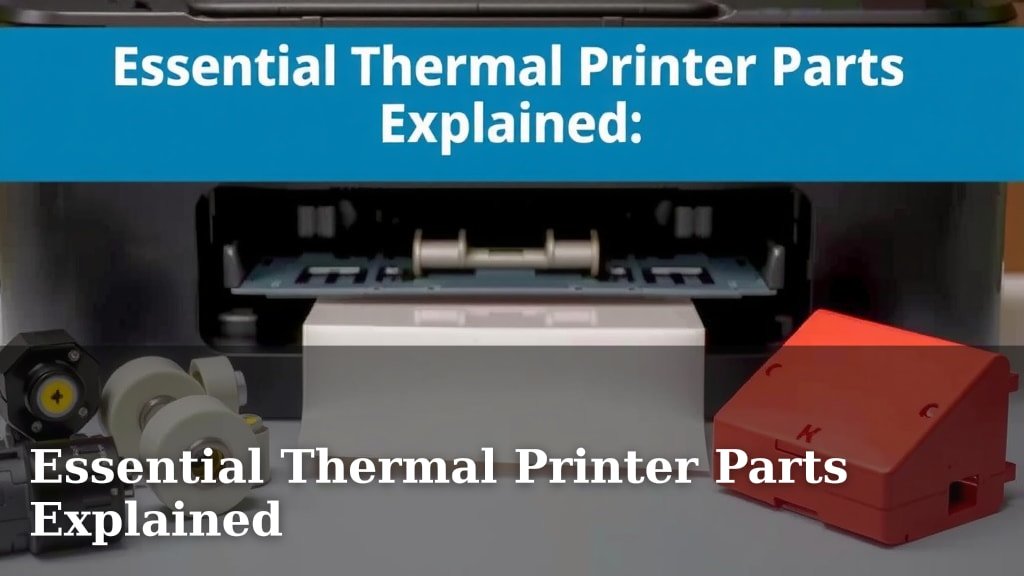
Thermal printer parts are the unsung heroes behind your quick prints. They include the print head, platen roller, and mainboard, each playing a vital role. Understanding these components helps you troubleshoot issues and keep your printer running smoothly.
When your thermal printer acts up, it’s often due to a problem with one of these key parts. We found that a dirty print head or a worn platen roller are common culprits. Knowing what each part does is your first step to fixing it fast.
- The print head applies heat to make the image.
- The platen roller feeds the paper smoothly.
- The mainboard controls all printer functions.
- Regular cleaning prevents many common issues.
- Identifying the faulty part saves repair time.
Ready to learn more about what makes your thermal printer tick? Let’s break down the essential parts you need to know about.
Understanding Your Thermal Printer’s Inner Workings
Your thermal printer might seem like magic, but it’s really a clever combination of parts working together. We’ll walk you through the main players. Knowing these can help you figure out why a print might look fuzzy or why it stops working. It’s like knowing your car’s engine parts – useful!
The Heart of the Operation: The Print Head
This is where the magic happens. The print head is essentially a line of tiny heating elements. These elements get hot very quickly when electricity passes through them. Think of them like super-fast, super-small light bulbs that create heat instead of light. These hot spots are what transfer the image onto your special thermal paper. It’s a delicate component that needs care.
How the Print Head Works
When you send a document to your printer, the printer’s main circuit board tells the print head exactly which elements to heat and for how long. The thermal paper has a special coating. This coating turns dark when it’s heated. So, a pattern of heated dots creates the text and images you see. We found that the quality of this coating on the paper really matters for a good print.
Keeping Your Print Head Clean
Dust, paper debris, or even residue from the thermal coating can build up on the print head. This buildup acts like an insulator. It stops the heat from reaching the paper properly. This often results in faint lines or spots missing from your print. Regular cleaning is key. Many manufacturers recommend cleaning it weekly or even daily depending on usage. Experts suggest using a lint-free cloth or a special print head cleaning pen. Never use abrasive materials like sandpaper; you’ll ruin it! A damaged print head is usually expensive to replace.
When to Suspect Print Head Issues
If you see persistent white lines through your prints, or if large sections are missing even after cleaning, your print head might be damaged. We’ve seen cases where the heating elements just wear out over time. This is especially true for older printers or those used in very demanding environments. It’s often a sign that a replacement is needed.
The Paper Feeder: Platen Roller and Drive Mechanism
The platen roller is the sturdy rubber cylinder that sits directly behind the print head. Its main job is to provide a firm, flat surface for the print head to press against. It also works with the drive mechanism to feed the paper through the printer smoothly and evenly. Without a good platen roller, your prints would be crooked or jammed.
The Platen Roller’s Role
Imagine trying to write on a wobbly table; it’s tough. The platen roller acts as that stable surface for the print head. As the paper moves, the roller grips it and moves it along at a consistent speed. This consistent movement is vital for creating clear, aligned text and images. We found that the material and hardness of the roller are important design factors.
Wear and Tear on the Platen Roller
Over time, the rubber on the platen roller can harden, crack, or develop flat spots. This happens from constant pressure and friction. When this occurs, the paper might not feed smoothly. You might experience paper jams or uneven printing. Sometimes, the roller can pick up debris, which can then transfer to the print head or paper. It’s like a tire wearing down over many miles.
Maintenance for the Platen Roller
You can often clean the platen roller with a slightly damp cloth. Make sure the cloth is lint-free. For stubborn residue, a mild cleaning solution might be needed. Always allow it to dry completely before using the printer again. If you notice significant damage like cracks or flat spots, it’s time for a replacement. Many service guides mention this as a common replacement part.
The Drive Mechanism
This includes small motors and gears. They work together to turn the platen roller. This mechanism is what pulls the paper through the printer. If the gears are worn or the motor is failing, you’ll likely experience paper feed issues. This can manifest as the paper not moving at all, or moving erratically.
The Brains of the Operation: The Mainboard
The mainboard, or logic board, is the central hub of your thermal printer. It’s a circuit board filled with electronic components. This is where all the processing happens. It receives the print data from your computer. Then, it tells the print head and the paper feed mechanism what to do and when to do it. It’s like the central nervous system of the printer.
What the Mainboard Controls
It manages everything: interpreting the print command, controlling the temperature of the print head elements, and coordinating the movement of the platen roller. It also handles communication between the printer and your computer. If the mainboard has issues, the printer might not turn on, or it might behave erratically. We’ve seen printers freeze up or produce gibberish when their mainboard fails.
Common Mainboard Problems
Mainboards can fail due to power surges, overheating, or simply component failure over time. Sometimes, a tiny capacitor or resistor might burn out. If your printer shows no signs of life, or if it’s behaving in ways that don’t point to the print head or paper feed, the mainboard is a likely suspect. Repairing a mainboard can be complex and often requires professional help.
Other Important Components
While the print head, platen roller, and mainboard are the superstars, other parts play supporting roles.
The Paper Sensor
This small sensor detects when paper is loaded and when it’s running low. It ensures the printer doesn’t try to print without paper. If this sensor is dirty or malfunctioning, your printer might act like it’s out of paper even when it’s full. Cleaning it is usually simple.
The Power Supply
This component converts the AC power from your wall outlet into the DC power the printer needs. A faulty power supply can cause the printer to not turn on or to shut off randomly. It’s a critical part for overall function.
The Casing and Frame
Don’t overlook the physical structure! The outer casing protects the delicate internal parts. The frame keeps everything aligned and stable. Damage to these can indirectly affect performance by misaligning critical components like the print head and roller.
Quick Checklist for Thermal Printer Health
Keep your printer running smoothly with these simple checks:
- Check and clean the print head regularly.
- Inspect the platen roller for wear or debris.
- Ensure the paper sensor is clean and unobstructed.
- Verify your power supply is stable.
- Keep the printer’s exterior clean to prevent dust buildup.
- Listen for unusual noises from the paper feed mechanism.
Conclusion
You’ve now learned about the essential parts that make your thermal printer work. Understanding the print head, platen roller, and mainboard is key. Regular maintenance, like cleaning your print head and checking the roller, can prevent most common issues. By knowing these components, you can better troubleshoot problems and keep your printer running efficiently. This knowledge saves you time and money. Your next step is to perform a quick health check on your own printer using the checklist we provided.
Frequently Asked Questions
How often should I clean my thermal printer’s print head?
We found that cleaning frequency depends on your usage. For heavy use, daily or weekly cleaning is recommended by experts. Even with light use, a monthly clean can prevent buildup and ensure print quality.
Can a dirty platen roller cause blurry prints?
Yes, a dirty or worn platen roller can absolutely cause blurry or uneven prints. It might not provide a firm enough surface for the print head, or it could feed the paper inconsistently.
What should I do if my thermal printer isn’t turning on?
If your printer shows no signs of life, check the power supply first. Ensure it’s securely plugged in. If the power supply seems fine, the mainboard might be the issue, which often requires professional diagnosis.
Are thermal printer parts universal?
No, thermal printer parts are generally not universal. The print head and platen roller are specific to the make and model of your printer. Always check your printer’s manual or the manufacturer’s website for compatible parts.
Can I fix a damaged mainboard myself?
Repairing a damaged mainboard is usually complex and not recommended for beginners. We suggest consulting your printer’s manual for troubleshooting steps or contacting a professional repair service for mainboard issues.