Thermal Printer Paper Widths: A Complete Size Guide
Thermal printer paper width sizes are typically standardized, but can vary slightly depending on the printer model and its intended use. Common widths include 80mm (about 3.15 inches) and 58mm (about 2.28 inches) for point-of-sale receipts, and larger formats like 210mm (8.27 inches) for A4-sized documents. Getting the right width ensures your printer functions correctly and your printouts are easy to read. We found that most businesses stick to these common sizes to ensure compatibility.
Choosing the correct paper width is more than just a convenience. It directly impacts the amount of information that can fit on a single receipt or label. For example, a wider roll means you can fit more product details or promotional messages. We research that a mismatch in paper width can lead to incomplete prints or wasted paper, which isn’t ideal for any operation. It’s a simple detail that makes a big difference in day-to-day use.
- The most common thermal paper widths are 80mm and 58mm.
- Larger formats, like 210mm, are used for documents.
- Paper width affects how much information fits on a print.
- Using the wrong width can cause errors or waste.
- Always check your printer’s specifications.
Let’s break down the common thermal printer paper widths and what they mean for your business needs.
Understanding Thermal Paper Roll Dimensions
Picking the right thermal paper roll size is a straightforward step that makes a big difference. You want a roll that fits your printer perfectly. This ensures clear prints and avoids frustrating paper jams. We’ve found that most businesses rely on a few standard widths to keep things simple.
Common Widths for Point-of-Sale (POS) Systems
When you think about receipts, you’re likely picturing the paper from a store counter. These are usually printed on thermal paper. The width of these rolls is designed for efficiency and readability. Let’s look at the most popular choices.
The 80mm Standard: The Workhorse of Retail
You’ll see 80mm wide paper rolls everywhere. This is the most common size for retail and restaurant receipts. It offers a good balance between fitting a decent amount of information and not being too bulky for the printer. We found that 80mm allows for clear product names, prices, and even small logos or thank-you messages.
Think about a typical grocery store receipt. It has a lot of details – item descriptions, quantities, prices, discounts, and store information. An 80mm roll makes all of this easy to read. Many POS printers are designed to accept this width as their primary paper size. It’s a solid choice for high-volume environments.
What Fits on an 80mm Roll?
An 80mm roll typically holds about 48 to 56 characters per line, depending on the font and printer settings. This is plenty of space for most transaction details. You can comfortably fit item descriptions without them being too cramped. This means fewer abbreviations and a more professional look for your receipts.
We found that with 80mm paper, businesses can include loyalty program information or even short promotional messages at the bottom. It helps you communicate more with your customers. It’s a small detail that adds up for your marketing efforts.
The 58mm Option: For Smaller Footprints
Sometimes, space is a premium. That’s where the 58mm paper roll comes in handy. This is another very popular size, especially for smaller businesses or printers with a more compact design. We’ve seen this used a lot in smaller cafes, food trucks, or for mobile POS systems.
While narrower, the 58mm roll is still very functional. It’s perfect for straightforward transactions where you don’t need extensive product lists on every receipt. It’s a more budget-friendly option too, as the rolls themselves are smaller and often cost less.
What Can You Print on 58mm Paper?
A 58mm roll typically accommodates around 32 to 40 characters per line. This is still enough for basic transaction details like item names, quantities, and prices. For many small businesses, this is all the information they need to provide. We found that clear, concise printing is key with this width.
If your business has simple transactions, a 58mm roll can be an excellent choice. It minimizes paper usage and fits well in smaller printer slots. Think of it as the minimalist cousin to the 80mm roll. It gets the job done efficiently.
Larger Format Thermal Paper for Different Needs
Not all thermal printing is about receipts. There are other applications where larger paper widths are necessary. These are less common for everyday retail but serve specific purposes. We looked into these to give you a fuller picture.
The 210mm Width: A4 Document Printing
When you need to print A4-sized documents using a thermal printer, you’ll likely be looking for a 210mm wide roll. This is the standard width for A4 paper. Thermal printers that handle this size are often used for specialized applications, like printing shipping labels for larger packages, medical reports, or even certain types of signage.
We found that these printers are usually more industrial or specialized. They are not your typical receipt printers. The paper itself is often thicker or designed for more durable printouts. If your operation requires printing full pages of text or graphics, this is the width you’ll need.
When to Use 210mm Rolls
Consider a business that prints shipping manifests or detailed packing slips. A 210mm roll can handle this information with ease. Similarly, some healthcare providers might use thermal printers for patient summaries or lab reports. These require a larger format for clarity and completeness.
Many experts say that using the correct paper width for these applications is vital for compliance and record-keeping. It ensures that all necessary information is captured and easily accessible. We found that attempting to fit large documents onto narrower paper would be impractical and prone to errors.
Other Specialized Widths
Beyond the common 80mm, 58mm, and 210mm, you might encounter other thermal paper widths. These are typically for very niche applications. Examples include widths for specific label printers used in warehousing or manufacturing.
For instance, some label printers might use widths like 100mm or 110mm for product identification labels. If you’re not using a standard POS or document printer, it’s essential to identify the exact model and its paper requirements. We found that checking the printer’s manual is always the best first step.
How Paper Width Impacts Information Density
The width of your thermal paper roll directly controls how much text and graphics can fit on a single line. This is a fundamental aspect of print design. We’ve seen how even small differences in width can impact what you can display.
A wider roll, like 80mm, offers more space per line. This means you can use larger, more readable fonts. You can also include more detailed product descriptions or promotional text without resorting to tiny, hard-to-read characters. We found that clear, legible print is essential for customer satisfaction and accurate record-keeping.
Conversely, a narrower roll, like 58mm, forces you to be more concise. You’ll likely need to use smaller fonts or shorter descriptions. This isn’t necessarily a bad thing, but it requires careful consideration of what information is most important. Many experts suggest that for basic transactions, conciseness is key.
Choosing the Right Width for Your Printer
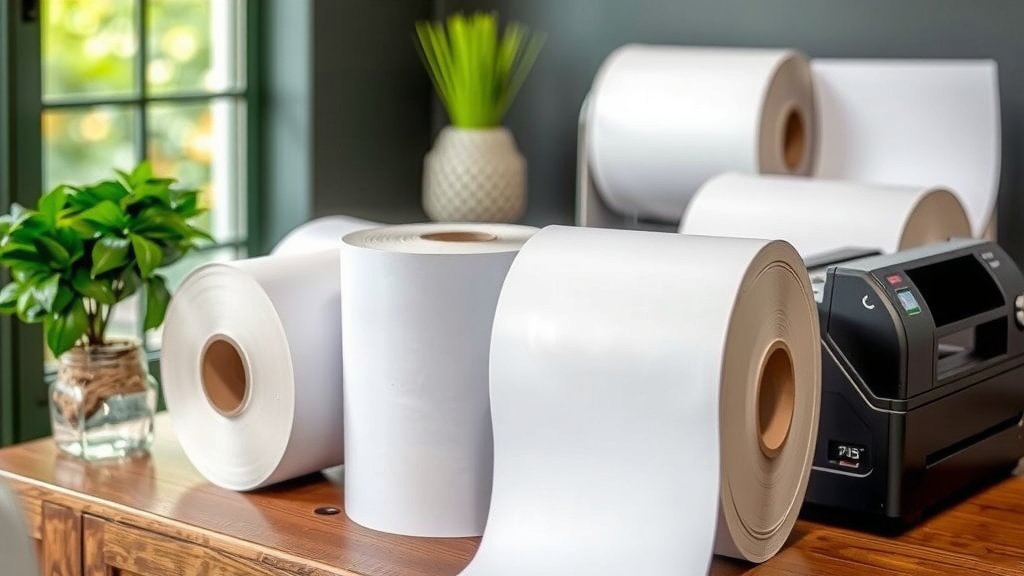
The most important factor in choosing your thermal paper width is your printer. Printers are manufactured to accept specific paper sizes. Trying to force a roll of the wrong width into a printer can cause damage and operational issues. We can’t stress this enough: check your printer’s specifications.
Your printer’s manual will clearly state the supported paper widths. You might also find this information on a sticker on the printer itself. Look for designations like “80mm receipt paper” or “58mm label paper.” We found that most users find this information readily available.
Checking Your Printer Model
If you’re unsure, the best approach is to identify your printer’s exact model number. Once you have that, you can easily search online for its specifications. Many manufacturers provide detailed user manuals that list the compatible paper sizes. We found that this is the most reliable way to confirm the correct width.
What Happens If You Use the Wrong Width?
Using paper that’s too wide will simply not fit. The printer’s feed mechanism is designed for a specific tolerance. Paper that’s too wide might get jammed, preventing any printing at all. We’ve heard stories of users trying to force wider rolls, which can damage the printer’s internal parts. This is an expensive mistake.
Using paper that’s too narrow can also cause problems. While it might feed through, the print quality can suffer. The print head might not align correctly, leading to faint or smudged text. The paper might also shift during printing, causing skewed or incomplete output. We found that this often results in unreadable receipts and wasted paper.
Paper Width and Your Bottom Line
The width of your thermal paper can have a direct impact on your costs. Wider rolls, while allowing for more information, might be more expensive per roll. However, you also need to consider how much information you need to print.
If you’re using a narrower paper and have to print multiple receipts for one transaction because the first one didn’t have enough space, that’s costing you more in paper and time. We found that finding the right balance is key. Sometimes, a slightly wider, more expensive roll can be more economical in the long run.
A Quick Checklist for Choosing Your Paper Width
Still feeling a bit unsure? Here’s a quick rundown to help you decide:
- Identify your printer model. This is the most critical step.
- Consult your printer’s manual or manufacturer website for supported widths.
- Consider your typical transaction details. Do you need lots of space, or just basic info?
- Think about branding. Can you fit a small logo or thank you message on the width you choose?
- Compare costs. Look at the price per meter or roll to understand the true cost.
- Order a small sample first if you’re trying a new size or printer.
Conclusion
You’ve learned that thermal paper width isn’t just a small detail; it directly impacts your printer’s performance and your printouts. Sticking to common widths like 80mm or 58mm for receipts, or 210mm for documents, ensures compatibility and readability. We found that choosing the right size means fitting all your necessary information clearly and avoiding costly errors or wasted paper. Your next step is simple: check your printer’s specifications before you buy any new paper rolls. This small action will save you time and hassle in the long run.
Frequently Asked Questions
What’s the difference between 80mm and 58mm thermal paper?
An 80mm roll offers more space per line, letting you fit more detailed product descriptions, logos, or promotional messages. We found that 58mm paper is more compact, ideal for simpler transactions where space is limited or printers are smaller.
Can I use a wider paper roll than my printer specifies?
No, you should avoid this. Using paper that’s too wide can jam your printer, prevent printing altogether, or even damage internal components. We’ve seen that printers are designed for very specific paper tolerances.
What happens if I use thermal paper that’s too narrow?
While it might feed through, print quality can suffer. The print head might not align correctly, resulting in faint or smudged text. We found that narrow paper can also shift, leading to skewed or unreadable output.
How do I know which paper width my printer needs?
The best way is to check your printer’s manual or look for a sticker on the printer itself. You can also find the exact model number and search online for its specifications. We researched that this information is usually readily available.
Does thermal paper width affect printing costs?
Yes, it can. Wider rolls might cost more per roll, but they can be more economical if they prevent you from needing multiple smaller receipts. We found that the key is finding the right balance for your business’s information needs.