Your 58mm Thermal Printer Guide: Setup & Usage Tips
A 58mm thermal printer is a compact, affordable printer designed for printing receipts and labels. It uses heat to create images on special paper, making it fast and quiet. You’ll often find them used at retail checkouts and in shipping operations for quick label printing.
These printers are known for their simplicity and low running costs. Because they don’t use ink or toner, you only need to worry about buying thermal paper. This makes them a very cost-effective choice for many small businesses that need to print frequently.
- What is a 58mm thermal printer?
- Why are they so popular for small businesses?
- What are the pros and cons of using one?
- How do you choose the right 58mm printer?
- Common uses for these printers.
We’ve put together this guide to help you understand everything about 58mm thermal printers. Let’s dive in and make sure you pick the perfect one for your needs!
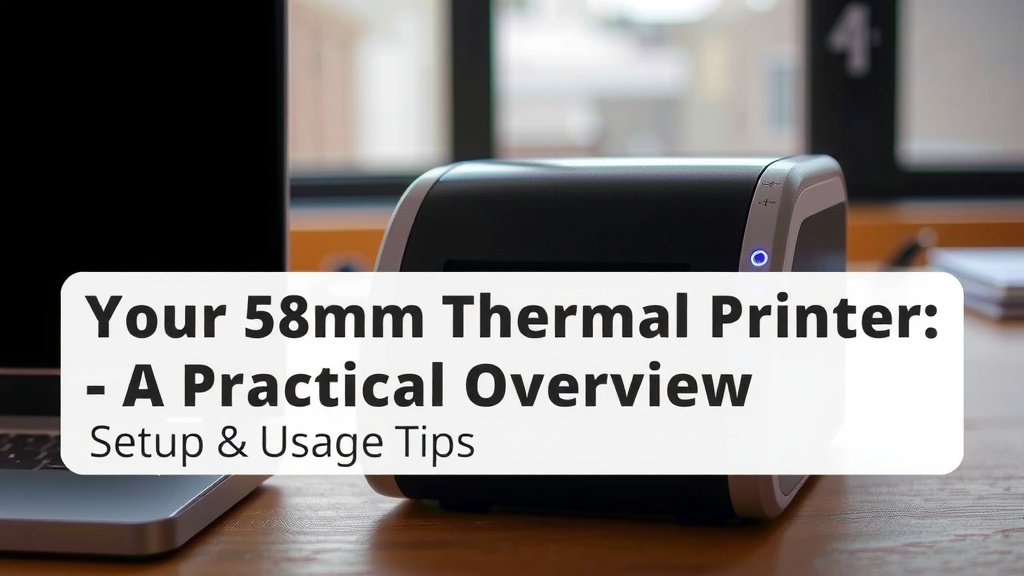
Your 58mm Thermal Printer: A Practical Overview
So, you’re looking into a 58mm thermal printer? Excellent choice! These printers are workhorses for many small businesses, and for good reason. They offer a simple way to print receipts and labels without a fuss.
Think of them as the reliable friend in your business operations. They’re not fancy, but they get the job done, quickly and quietly. This guide will walk you through what you need to know to make an informed decision.
Why Small Businesses Love 58mm Thermal Printers
The popularity of 58mm thermal printers among small businesses isn’t accidental. They fill a specific need with an effective and efficient solution.
Cost-Effectiveness Explained
One of the biggest draws is the low cost of ownership. Unlike inkjet or laser printers, thermal printers don’t use ink or toner cartridges. This means you’re only buying the special thermal paper. Over time, this saves you a considerable amount of money.
Research shows that the cost per print for thermal printers is significantly lower than traditional printers. This is a huge advantage for businesses that print a lot of receipts or labels daily.
Speed and Simplicity
These printers are designed for speed. They print by heating a special paper, a process that’s much faster than traditional printing methods. You get your receipts or labels almost instantly.
They are also wonderfully simple to use. You usually just plug them in, load the paper, and you’re ready to go. There’s minimal setup required, which is a lifesaver when you’re busy running a business.
The Upsides and Downsides: What to Expect
Every technology has its strengths and weaknesses. Understanding these will help you decide if a 58mm thermal printer is the right fit for your business.
The Pros: Why They Shine
- No Ink or Toner: This is the big one. Save money and avoid messy ink changes.
- Fast Printing: Get your documents out quickly, keeping lines moving.
- Quiet Operation: Unlike noisy impact printers, thermal printers are very quiet.
- Compact Size: They don’t take up much counter space, perfect for small shops.
- Low Maintenance: Fewer moving parts mean less can go wrong.
The Cons: Where They Might Fall Short
While great, they aren’t perfect for every situation. You’ll need to consider these points:
- Special Paper Required: You can only use thermal paper, which can be more expensive than plain paper.
- Fading Prints: Thermal prints can fade over time, especially when exposed to heat or sunlight. This makes them unsuitable for long-term records. Many sources, like those discussing archival quality, note this limitation (National Archives and Records Administration).
- Limited Color: They print in black and white only.
- Print Quality: While generally good for text and basic graphics, they aren’t ideal for high-resolution images.
- Paper Width: The 58mm width is standard for receipts but might be too narrow for some labels or documents.
Choosing the Right 58mm Thermal Printer for You
With so many options out there, how do you pick the one that will be your business’s best friend? Let’s break down the key features to look for.
Connectivity Options
How will your printer connect to your computer or point-of-sale (POS) system? Common options include:
- USB: The most common and versatile connection.
- Ethernet: Great for network printing, allowing multiple devices to share the printer.
- Bluetooth: Offers wireless connectivity, ideal for mobile POS systems or tablets.
- Wi-Fi: Similar to Ethernet but wireless, providing flexible placement.
Consider where your printer will live and what devices it needs to talk to. A USB connection is usually fine for a single workstation. If you need to share it or go wireless, look at Ethernet or Bluetooth/Wi-Fi.
Printing Speed and Resolution
Printing speed is measured in millimeters per second (mm/s). For receipts, a speed of 70-100mm/s is typically sufficient. Faster speeds are available if you have very high transaction volumes.
Resolution is measured in dots per inch (dpi). Most 58mm receipt printers offer 203dpi, which is perfectly adequate for clear text and simple logos. Higher dpi is usually found in label printers.
Durability and Reliability
Look for printers with a good mean time between failures (MTBF) rating. This indicates how reliable the printer is expected to be. Also, consider the auto-cutter feature. A built-in cutter makes a huge difference in efficiency by automatically cutting receipts.
We found that businesses that use their printers heavily often benefit from models designed for higher print volumes.
Compatibility with Your Software
This is critical! Make sure the printer is compatible with your POS software or operating system. Most printers work with Windows, but check for macOS, iOS, and Android compatibility if you use those platforms. Some printers might also have specific driver requirements.
Always check the manufacturer’s specifications or ask your software provider if you’re unsure.
Common Applications for 58mm Thermal Printers
Where do you typically see these handy devices in action? You might be surprised by their versatility.
Retail and Hospitality
This is their most common home. Think:
- Checkout counters: Printing customer receipts.
- Kitchen printers: In restaurants, printing orders for the chefs.
- Bar receipts: For drink orders.
The speed and quiet operation are perfect for busy environments where you don’t want noise or delays.
Small Businesses and Home Offices
Even small operations can benefit:
- Invoicing: Printing invoices for clients.
- Shipping labels: For e-commerce sellers, though 58mm might be small for some shipping carriers.
- Appointment reminders: For service-based businesses.
Service Industries
Consider their use in:
- Repair shops: Printing service order details.
- Salons and spas: For booking confirmations or payment receipts.
A Quick Checklist for Your Purchase Decision
Ready to make a choice? Keep these points in mind:
- Confirm printer width (58mm is standard here).
- Check required connectivity (USB, Bluetooth, Wi-Fi).
- Verify software compatibility.
- Consider print speed needs.
- Look for an auto-cutter.
- Read reviews on reliability.
Conclusion
You’ve learned a lot about 58mm thermal printers today. These machines are a fantastic choice for many small businesses due to their speed, low cost, and simple operation. While they require special paper and don’t last forever, their benefits for daily tasks like printing receipts and labels are clear. By considering connectivity, software compatibility, and key features like an auto-cutter, you can confidently select the best model for your needs. Now, take a look at your business operations and decide which printer will best streamline your workflow.
Frequently Asked Questions
How long do thermal printer receipts last?
Thermal receipts are great for immediate use but can fade over time. Exposure to heat, light, or even friction can cause the print to disappear within months. For records you need to keep long-term, consider making a photocopy or using a different printing method.
Can I print in color with a 58mm thermal printer?
No, 58mm thermal printers are designed for monochrome printing only. They use heat to activate special paper, which results in black text and simple graphics. If you need color printing, you’ll have to look at different printer types.
Are 58mm thermal printers good for shipping labels?
For many small packages, a 58mm printer can work for shipping labels. However, some carriers or larger labels might require a wider format. Always check the specific label size requirements for your shipping needs before purchasing.
What is an auto-cutter, and do I need it?
An auto-cutter is a built-in feature that automatically cuts the paper after each receipt or label is printed. This saves you time and effort, especially in busy environments. If you print a lot of documents throughout the day, an auto-cutter can significantly boost your efficiency.
Where can I buy replacement thermal paper?
You can find thermal paper at most office supply stores, electronics retailers, and online marketplaces like Amazon. Make sure you purchase paper specifically designed for 58mm thermal printers to ensure compatibility and optimal performance.