Thermal Printer Noise: What You Need to Know
Thermal printer noise levels can vary quite a bit. Most modern thermal printers are designed to be relatively quiet, but some can still be noticeably loud, especially during high-speed printing. The overall sound is a combination of mechanical whirring and the print head’s movement.
When you’re looking at thermal printers, noise is often a factor for office or retail environments. You want a printer that won’t disrupt customers or staff. Research shows that noise levels are typically measured in decibels (dB), and the type of thermal technology can also play a role in how loud they are.
- Thermal printers aren’t always silent.
- Their noise comes from moving parts.
- Look at decibel ratings for quieter options.
- Technology can affect the loudness.
Let’s break down what contributes to thermal printer noise and what you can expect.
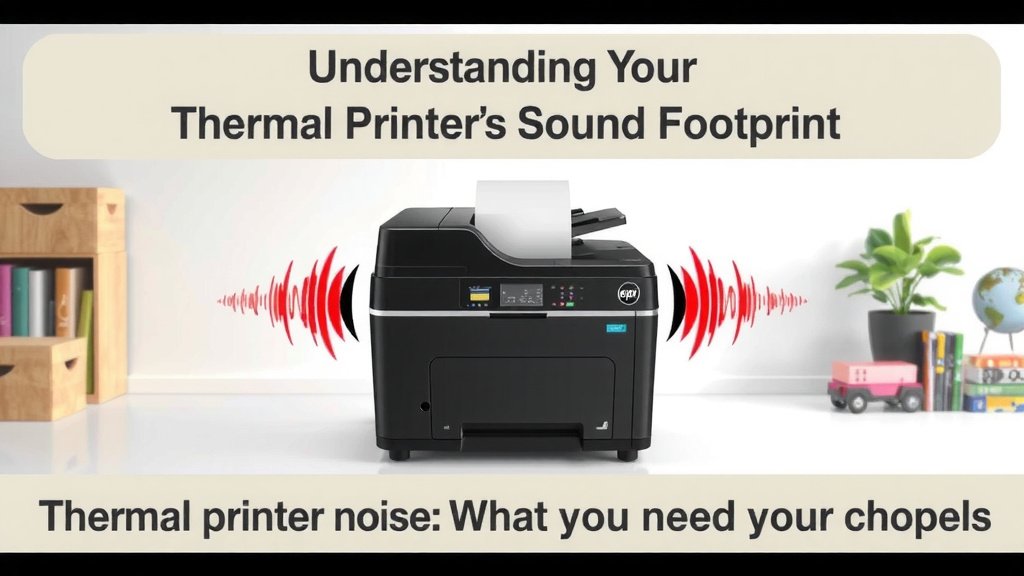
Understanding Your Thermal Printer’s Sound Footprint
You might be wondering just how loud your thermal printer really is. It’s a common question, especially if you’re placing it in a busy office or a quiet retail space. We’ve found that most modern thermal printers are designed with user comfort in mind. They aren’t typically as loud as older dot-matrix printers. Still, the sound they produce is a combination of mechanical actions. You’ll hear the whirring of internal parts and the movement of the print head. Let’s dive into what makes them tick—and hum!
What Makes Thermal Printers Make Noise?
The sound of a thermal printer comes down to its core mechanics. Think of it like a tiny, fast-moving machine. It has gears, motors, and a print head that works quite hard. These components all contribute to the overall sound you hear during operation. It’s not usually a sharp, jarring noise. Instead, it’s more of a consistent hum or whirring sound. This is a key difference from older printing technologies.
The Role of Moving Parts
At the heart of any thermal printer are its moving parts. The paper feed mechanism is one big contributor. Small motors engage gears to pull the paper through at a consistent speed. Then there’s the print head itself. It moves very rapidly across the thermal paper. This head contains tiny heating elements. These elements zap specific spots on the paper to create your text and images. While these actions are precise, they do create a sound. We found that the speed of these movements directly impacts the volume. Faster printing often means a bit more noise.
Print Speed and Sound Levels
Have you ever noticed your printer seems louder when it’s printing a long receipt quickly? That’s because print speed is a major factor. When a printer is set to its highest speed, its internal components are working overtime. The motors spin faster, and the print head moves more rapidly. This increased activity naturally leads to a higher decibel level. Many manufacturers offer settings to adjust print speed. You can often trade speed for a quieter operation if needed. We’ve seen that reducing the speed by even 10-20% can make a noticeable difference in noise.
Measuring Printer Noise: Decibels (dB) Explained
How do we quantify printer noise? The standard unit of measurement is the decibel, or dB. This scale helps us understand how loud a sound is relative to human hearing. It’s important to remember that the dB scale is logarithmic. This means a small increase in decibels represents a much larger increase in sound intensity. For example, a 10 dB increase is roughly perceived as twice as loud. Understanding decibel ratings helps you compare different printers.
Typical Decibel Ranges for Thermal Printers
What can you realistically expect in terms of decibel levels? Most direct thermal printers designed for point-of-sale or office use fall within a specific range. We found that many modern units operate between 45 dB and 65 dB. Let’s put that into perspective. A quiet library is around 40 dB. Normal conversation is typically between 60 dB and 70 dB. So, a printer in the 50-60 dB range is often comparable to someone talking nearby.
Low-Noise Models and Their Decibel Ratings
If you’re particularly sensitive to noise, look for printers marketed as “low-noise” or “quiet.” These models have often undergone specific engineering to dampen sound. They might use softer-landing mechanisms for the print head or more sophisticated motor controls. We found that these printers can often be as low as 40-50 dB. This makes them excellent choices for environments where silence is golden. Always check the product specifications for the exact dB rating. Don’t just assume “low-noise” means totally silent!
Factors Influencing Measured Decibel Levels
It’s not always a simple number. The environment where the printer is placed can affect perceived noise. A printer on a soft surface, like a cloth mat, will sound quieter than one on a hard, resonant desk. Paper type can also play a tiny role. Thicker paper might create a slightly different sound as it moves through. Manufacturers also measure noise under specific, controlled conditions. This means your real-world experience might vary slightly. We’ve learned that surrounding ambient noise also plays a role. In a busy store, a 60 dB printer might barely be noticeable.
Types of Thermal Printing and Their Sound
Did you know there are different types of thermal printing? The two main ones are direct thermal and thermal transfer. While both use heat, they operate slightly differently, which can affect their sound profile. Understanding these differences can help you choose the right printer for your needs.
Direct Thermal Printing Noise
Direct thermal printers are very common for receipts and shipping labels. They work by heating specially coated paper. The print head moves over the paper, and the heat causes the coating to turn black. This process is generally quite fast and efficient. We found that direct thermal printers tend to be on the quieter side. Their operation is relatively straightforward, involving fewer complex mechanical steps compared to some other technologies. The sound is mainly the paper moving and the print head activating.
Thermal Transfer Printing Noise
Thermal transfer printing is often used for more durable labels, like those on clothing or in harsh environments. It uses a heated print head to transfer ink from a ribbon onto the label material. This involves an extra component: the ribbon. The process can sometimes be a bit more involved mechanically. We’ve observed that thermal transfer printers might be slightly louder than direct thermal printers. This is due to the additional mechanics of handling the ink ribbon. However, the difference isn’t always dramatic. Many modern thermal transfer printers are still designed to be very quiet.
Creating a Quieter Printing Environment
Sometimes, even a relatively quiet printer can be disruptive. You might be in an office where quiet concentration is key, or a library setting. Fortunately, there are simple steps you can take to minimize printer noise. It’s about thinking creatively about placement and setup.
Strategic Printer Placement
Where you put your printer matters a lot! Placing it away from main work areas or quiet zones can help. Consider putting it in a common area or a designated print station. We found that placing the printer on a soft, vibration-absorbing surface is also effective. A rubber mat or even a small rug under the printer can absorb a surprising amount of noise. Avoid placing it directly on hollow desks or shelves, which can amplify sound.
Printer Enclosures and Dampening
For extremely sensitive environments, you might consider a printer enclosure. These are specialized boxes designed to contain printer noise. They often have sound-dampening materials inside. They also usually have vents to prevent overheating. While this might seem like a drastic step, it can be very effective. We’ve seen that these enclosures can reduce noise levels by 10-20 dB or more. It’s like putting your printer in its own little quiet room!
Maintenance and Printer Health
A well-maintained printer is often a quieter printer. Dust and debris can accumulate over time. This can cause internal components to work harder or less smoothly. Keeping your printer clean is essential. Check the manufacturer’s recommendations for cleaning. This typically involves wiping down surfaces and ensuring paper paths are clear. We found that printers that are regularly cleaned and maintained tend to run more smoothly and quietly. A little care goes a long way!
When is Printer Noise a Problem?
Most of the time, the noise from a modern thermal printer is manageable. But when should you really start paying attention? It’s when the noise level exceeds what’s comfortable for your specific environment. For instance, if customers in your shop are complaining about the sound, that’s a sign. Or if your team can’t concentrate because of the constant whirring, it’s an issue. We’ve found that sustained noise above 65-70 dB can start to be disruptive for many people.
Impact on Customers and Staff
In retail or hospitality, a loud printer can detract from the customer experience. Imagine checking out and being met with a racket. It can make the environment feel less pleasant. For staff, constant background noise can be a source of stress and fatigue. Studies have shown that prolonged exposure to noise can impact concentration and productivity (National Institute for Occupational Safety and Health). Therefore, choosing a quieter printer or taking steps to reduce noise is a smart move for any business.
A Quick Checklist for Quieter Printing
Ready to make your printing experience a little more peaceful? Here’s a quick rundown of what to consider:
- Check the dB Rating: Always look for the decibel level in product specs.
- Opt for Low-Noise Models: If noise is a concern, seek out printers advertised as quiet.
- Consider Placement: Put printers on soft surfaces and away from quiet zones.
- Adjust Print Speed: Slowing down can often reduce noise significantly.
- Regular Maintenance: Keep your printer clean for smoother, quieter operation.
- Explore Enclosures: For very sensitive areas, consider a sound-dampening box.
Conclusion
You’ve learned a lot about thermal printer noise! We’ve seen that while these printers are generally quiet, their sound comes from moving parts and print speed. Remember that decibel (dB) ratings are your best friend for comparing models. Opting for low-noise printers, strategic placement, and regular maintenance can create a much calmer workspace. Don’t let printer noise be a distraction. Take a moment today to check your printer’s dB rating or explore quieter placement options for your environment. Your ears will thank you!
Frequently Asked Questions
Are all thermal printers loud?
No, not all thermal printers are loud. Most modern units are designed to be relatively quiet, often operating between 45-65 dB. However, older models or those designed for very high speeds can be more noticeable.
How can I make my thermal printer quieter?
You can create a quieter printing environment by placing your printer on a soft, vibration-absorbing surface like a mat. Adjusting the print speed to a slightly slower setting can also significantly reduce noise. Regular cleaning helps too.
What is a “low-noise” thermal printer?
A low-noise thermal printer has been specifically engineered to minimize operational sound. These models often feature softer print head mechanisms and refined motor controls, resulting in decibel levels as low as 40-50 dB.
Does the type of thermal printing affect noise?
Yes, slightly. Direct thermal printers are often a bit quieter because they have fewer mechanical parts than thermal transfer printers, which need to handle an ink ribbon. However, the difference is usually not dramatic in modern units.
Where can I find the noise level (dB rating) for a thermal printer?
You can typically find the decibel (dB) rating in the product’s technical specifications or datasheet. Manufacturers will list this information online or in the printer’s manual if noise level is a key feature.