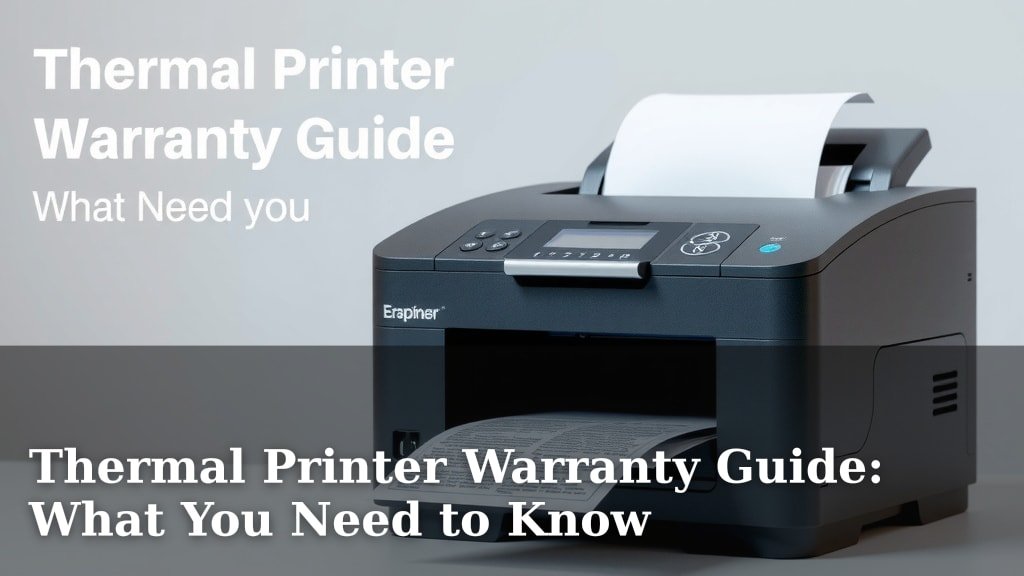
Thermal Printer Warranty Guide: What You Need to Know
Your thermal printer warranty is your shield against unexpected issues. Most thermal printers come with a standard manufacturer warranty, typically lasting one year. This warranty generally covers defects in materials and workmanship, giving you peace of mind when you buy.
Understanding your warranty is key to avoiding costly repairs down the line. What does it *really* cover? We found that warranties can vary between brands and even printer models. It’s important to know your coverage limits and what to do if something goes wrong, so you don’t end up paying for something that should be fixed for free.
- Most printers have a 1-year warranty.
- Warranties cover manufacturing defects.
- Accidental damage is usually *not* covered.
- Keep your proof of purchase handy.
- Know the warranty expiration date.
Let’s walk through the ins and outs of thermal printer warranties so you can feel confident about protecting your investment.
“`htmlUnderstanding Your Thermal Printer’s Warranty Protection
So, you’ve got a shiny new thermal printer! It’s an amazing tool for your business. But what happens if it decides to take an unscheduled nap? That’s where your warranty steps in. We found that most standard manufacturer warranties last for a solid year. Think of it as a year-long safety net.
This warranty is designed to protect you from manufacturing hiccups. It covers things that go wrong because of how the printer was made. This includes defects in the materials used and the overall workmanship. It’s not a magic wand for every possible problem, though. We’ll get into what’s *not* covered soon.
What Does Your Warranty Actually Cover?
Generally, your thermal printer warranty is a safeguard against surprises. It’s about ensuring the printer performs as it should right out of the box and for a reasonable time after. We see that most manufacturers stand by their product’s quality for a set period.
Defects in Materials and Workmanship
This is the core of what most warranties promise. If a part inside your printer was faulty from the start, or if it was put together poorly, the warranty should cover it. This could mean a roller that stops turning or a print head that suddenly goes fuzzy. These are manufacturing defects. They are not things you did.
What About Software Issues?
Sometimes, printers have software glitches. Your warranty might cover these, especially if they stem from firmware issues programmed at the factory. However, this can vary greatly by brand. It’s always wise to check the specifics for your model. We found that software support can sometimes extend beyond the hardware warranty.
Common Exclusions: What’s NOT Covered?
This is where many people get caught out. Warranties have limits, and it’s important you know them. Think of it like your car insurance; it covers accidents, but not that speeding ticket, right?
Accidental Damage
Did you knock your printer off the counter? Or maybe your enthusiastic puppy decided it was a chew toy? Sadly, accidental damage is almost never covered. This falls outside the scope of manufacturing defects. You’ll likely have to pay for repairs or replacement yourself.
Wear and Tear Items
Certain parts of your printer naturally wear out over time. These are considered consumables or parts subject to normal usage. Think of printer heads, rollers, and cutters. While they are essential for operation, their lifespan depends on how much you print. Manufacturers typically don’t cover these under a standard warranty unless they fail prematurely due to a defect.
Improper Use or Neglect
Using your printer for something it wasn’t designed for, like printing on materials too thick or dirty, can void your warranty. Also, neglecting basic maintenance, like cleaning the print head or ensuring proper ventilation, could lead to issues. If a problem arises from misuse, it’s usually not covered.
Unauthorized Repairs or Modifications
Ever tried fixing something yourself and made it worse? If you (or an unauthorized technician) open up the printer and tinker with it, you could void the warranty. Sticking to authorized service centers is key to keeping your warranty intact.
Environmental Factors
Extreme temperatures, humidity, dust, or power surges can harm your printer. If your printer fails because it was operated in conditions outside its recommended environment, the damage likely won’t be covered. A stable, clean workspace is important for longevity.
Navigating the Warranty Process: When Things Go Wrong
Even with the best intentions, sometimes printers develop problems. Knowing the steps to take can save you a lot of frustration. We researched this to make it easier for you.
Step 1: Consult Your User Manual and Troubleshooting Guides
Before you even think about contacting support, take a moment. Your printer’s manual is full of helpful tips. Many common issues can be resolved with a simple restart or a quick cleaning. We found that many users skip this step and save themselves a call.
Step 2: Gather Your Information
When you do need to contact support, be prepared. You’ll need your printer’s model number and serial number. These are usually found on a sticker on the back or bottom of the printer. Also, have your proof of purchase ready. This is critical!
Proof of Purchase is Key
Your receipt or invoice is your golden ticket. It proves when and where you bought the printer. Without it, a manufacturer might not be able to verify if your printer is still under warranty. Keep it somewhere safe, perhaps with the printer’s manual.
Note Down the Issue
Be ready to describe the problem clearly. When did it start? What exactly is happening? The more detail you can provide, the faster support can help you. We found that precise descriptions lead to faster resolutions.
Step 3: Contact the Manufacturer or Retailer
Once you have all your ducks in a row, it’s time to reach out. You can usually find contact information on the manufacturer’s website. Sometimes, the retailer where you bought the printer might also offer support or guide you through the warranty claim process.
Understanding the Claims Process
The manufacturer will guide you through their specific warranty claim procedure. This might involve sending in the printer, or they might send you replacement parts. They might also arrange for a technician to visit, depending on the issue and your warranty terms.
Step 4: Follow Instructions Carefully
Once a solution is agreed upon, you’ll need to follow their instructions precisely. If you need to ship the printer, pack it securely. If you’re asked to perform specific steps, do them as instructed. This helps ensure the repair or replacement goes smoothly.
Extended Warranties and Service Plans
What if you want more peace of mind than the standard warranty offers? Many companies provide options for extended coverage.
Why Consider an Extended Warranty?
Thermal printers can be workhorses, and sometimes workhorses need a little extra care. An extended warranty can cover your printer for a longer period, often for an additional year or two beyond the standard one. This can be particularly useful for high-volume operations where wear and tear might be more significant.
What Do They Typically Include?
Extended warranties often mirror the coverage of the standard warranty but for a longer duration. We found that some might also offer additional benefits, like faster repair turnaround times or even accidental damage coverage for an extra fee. Always read the fine print carefully to understand what’s included.
Purchasing an Extended Warranty
You can usually buy extended warranties when you purchase your printer, or sometimes within a certain period afterward. It’s a good idea to weigh the cost of the warranty against the potential cost of out-of-warranty repairs for your specific printer model. Many experts suggest considering it if the printer is critical to your operations.
Here’s a quick checklist to keep your warranty knowledge sharp:
- Locate your proof of purchase.
- Know your printer’s model and serial number.
- Check your warranty expiration date.
- Read the warranty terms and conditions.
- Understand what is and isn’t covered.
- Keep a record of any support interactions.
Conclusion
Protecting your thermal printer investment is smart business. You now know your standard warranty is your first line of defense against manufacturing defects for about a year. Remember to keep that proof of purchase and know what your specific warranty covers—and more importantly, what it doesn’t. Issues like accidental damage or normal wear and tear usually fall outside this coverage.
If a problem arises, start by troubleshooting with your manual. Then, gather your printer’s details and contact the manufacturer or retailer. Consider an extended warranty if your printer is critical for operations, but always read the fine print. Your next step is to locate your proof of purchase and warranty details right now, so you’re prepared!
Frequently Asked Questions
How long does a typical thermal printer warranty last?
Most manufacturers provide a standard one-year warranty from the date of purchase. This period is designed to cover initial manufacturing defects and ensure the printer functions correctly. Always check your specific model’s documentation for the exact duration.
What if I accidentally damage my printer?
Unfortunately, accidental damage, like drops or spills, is generally not covered by standard thermal printer warranties. These warranties focus on defects in materials and workmanship. You would typically need to cover the repair costs yourself or have separate accidental damage insurance.
Are consumables like print heads covered under warranty?
Consumable parts, such as print heads and rollers, are usually excluded from standard warranties. This is because their lifespan depends heavily on usage and environmental factors. They are considered subject to normal wear and tear unless they fail prematurely due to a manufacturing defect.
Do I need to register my printer to activate the warranty?
While not always mandatory, registering your printer can streamline the warranty process. It helps manufacturers verify your purchase date and contact you with important updates. However, your proof of purchase is typically the primary document needed to make a claim.
Can I get my printer repaired by a third-party shop without voiding the warranty?
Generally, having unauthorized technicians perform repairs or modifications on your printer can void the warranty. Stick to the manufacturer’s authorized service centers or follow their direct instructions for repairs to keep your warranty valid.