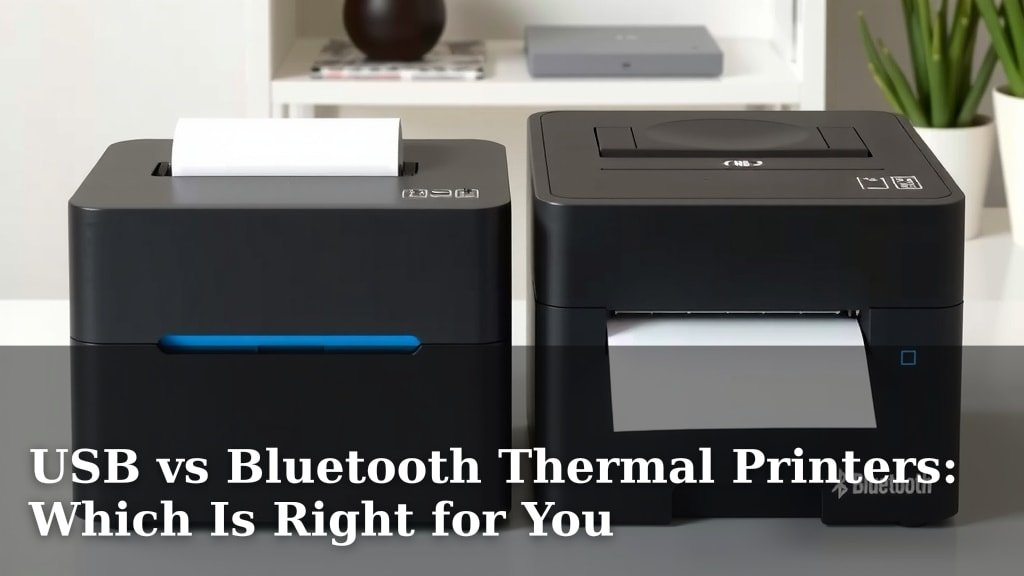
USB vs Bluetooth Thermal Printers: Which Is Right for You
When choosing between a USB thermal printer and a Bluetooth thermal printer, the best option really depends on your specific needs. For maximum stability and speed, a USB connection is usually the top choice. Bluetooth offers more freedom of movement but can sometimes be less reliable for critical printing tasks. Think of it like wired internet versus Wi-Fi – both work, but one is often more dependable.
Many people wonder which connection type is truly superior. We found that while Bluetooth provides that sought-after wireless convenience, USB connections typically offer a more robust and error-free printing experience. If you’re printing labels in a busy, mobile environment, Bluetooth might be your friend. If you need rock-solid performance for consistent, high-volume printing, USB is likely the winner.
TL;DR:
- USB printers offer more stable and faster connections.
- Bluetooth printers provide wireless freedom and mobility.
- USB is often better for high-volume, critical printing.
- Bluetooth is great for environments where wires are a hassle.
Let’s dive deeper into the pros and cons of each to help you decide which thermal printer connection is right for your setup.
USB vs. Bluetooth: Which Thermal Printer Connection Reigns Supreme?
Deciding between a USB and a Bluetooth thermal printer can feel like a tough choice. Both offer distinct advantages for your printing needs. We’ve looked at how each connection type stacks up. Your setup and how you plan to use the printer will guide you to the best fit.
Understanding the USB Connection: Reliability First
Think of a USB connection as your most dependable friend. It’s a direct link from your computer or device to the printer. This wired approach offers stability that many users rely on. It’s like plugging your phone directly into the wall for a charge – no fuss, just power.
The Speed Advantage of USB
One of the biggest perks of USB is its impressive speed. Data transfers quickly and efficiently. This means your labels or receipts print faster. For businesses that handle a lot of printing, this speed can save valuable time. Research shows USB 2.0 and 3.0 offer significantly higher bandwidth than standard Bluetooth. This translates to quicker print jobs.
Stability and Error Reduction
When you use a USB printer, you typically get a more stable connection. There’s less chance of interruptions. Since it’s a direct cable, interference from other devices is usually not an issue. This is a big plus for critical printing tasks. Fewer errors mean less wasted paper and ink. It’s a simple, straightforward connection that just works.
When USB Shines Brightest
A USB thermal printer is ideal for stationary setups. If your printer stays in one place, connected to a single computer, USB is a strong contender. Retail counters, shipping stations, or administrative desks are perfect examples. Environments with high printing volumes will also benefit greatly. You won’t have to worry about dropped connections during peak hours.
Potential Downsides of USB
The main drawback of USB is its lack of mobility. You’re tethered to the printer by a cable. This limits where you can place the printer and how you can move around with it. Cables can also become a tripping hazard or get tangled. If your workspace is cramped, managing extra wires can be a hassle.
Exploring the Bluetooth Connection: Freedom and Flexibility
Bluetooth printers offer a different kind of appeal: wireless freedom. Imagine printing without a single wire in sight. This technology allows devices to communicate over short distances. It’s the same tech that connects your wireless earbuds to your phone.
The Convenience of Going Wireless
The most obvious benefit of Bluetooth is its convenience. You can place your printer anywhere within its range. This makes for a cleaner workspace. It also allows for greater flexibility in how you operate. Need to print a shipping label from your tablet while walking around the warehouse? Bluetooth makes that possible.
Compatibility and Ease of Use
Many modern devices come with Bluetooth built-in. This includes laptops, tablets, and smartphones. Pairing a Bluetooth printer is often a simple process. You usually just search for the device and connect. It’s designed for ease of use, making it accessible for most users. Many experts point out that Bluetooth’s widespread adoption simplifies device integration.
When Bluetooth is Your Best Bet
Bluetooth thermal printers are excellent for mobile professionals or businesses that require flexibility. Think of small retail shops, market vendors, or delivery services. If you need to print receipts or labels on the go, Bluetooth is incredibly useful. It also reduces clutter, making your workspace look tidier.
Understanding Bluetooth’s Limitations
While convenient, Bluetooth can have its challenges. The connection speed is generally slower than USB. This might not be ideal for very high-volume printing. There’s also the potential for interference. Other wireless devices or physical obstructions can sometimes weaken the signal. Bluetooth connections can occasionally be less stable than wired ones.
| Feature | USB Thermal Printer | Bluetooth Thermal Printer |
|---|---|---|
| Connection Type | Wired | Wireless |
| Speed | Faster | Slower |
| Stability | Highly Stable | Can be Less Stable (interference possible) |
| Mobility | Limited (tethered by cable) | High (wireless freedom) |
| Setup Complexity | Simple plug-and-play | Pairing required, usually straightforward |
| Interference | Minimal | Potential from other devices/obstructions |
Factors to Consider for Your Decision
To make the right choice, think about a few key areas. Your answers will point you towards the perfect printer connection. It’s about finding what works best for your unique situation.
Your Printing Volume
Do you print hundreds of labels a day? Or just a few receipts occasionally? For high-volume printing, the speed and stability of USB are usually superior. If your printing needs are light, Bluetooth might be perfectly adequate.
Your Workspace and Mobility Needs
Is your printer desk-bound? Or do you need to move it around? A USB printer works well if it’s always in the same spot. If you need to print from different locations, or want a clutter-free desk, Bluetooth is the way to go. Think about how much you value that freedom of movement.
Your Devices
What devices will you be connecting to the printer? Most modern computers and laptops have USB ports. Many tablets and smartphones also support Bluetooth. Check if your primary devices have the necessary ports or wireless capabilities. Some older devices might only have USB. Newer ones might excel with Bluetooth.
Budget Considerations
Generally, USB thermal printers can be slightly less expensive than their Bluetooth counterparts. This is because Bluetooth technology adds to the manufacturing cost. However, the price difference is often not huge. It’s worth comparing specific models to get the best value.
Here’s a quick checklist to help you decide:
- Assess your typical daily printing volume.
- Determine how important mobility and a clean workspace are.
- Verify the connectivity options on your devices.
- Consider your budget and the cost difference between connection types.
- Think about potential interference in your printing environment.
Conclusion
You’ve seen how USB and Bluetooth thermal printers each bring something unique to the table. USB offers top-notch speed and unwavering reliability, making it perfect for consistent, high-volume printing in a fixed location. Bluetooth, on the other hand, grants you the freedom to print wirelessly, ideal for mobile tasks and creating a tidy workspace. Consider your printing volume, mobility needs, and the devices you use. Your choice will ensure you get the most efficient and dependable printing experience for your specific setup. Decide what matters most – stability or mobility – and make your selection.
Frequently Asked Questions
Can I use a Bluetooth thermal printer with my old laptop that only has USB ports?
You likely won’t be able to connect a Bluetooth printer directly to a USB-only port. You would need a Bluetooth adapter for your laptop. Many modern laptops have Bluetooth built-in, but older ones might require an external dongle to enable wireless printing.
Is a USB thermal printer always faster than a Bluetooth one?
Yes, in most practical scenarios, a USB connection will be faster. USB offers a direct, high-bandwidth connection that typically allows for quicker data transfer than Bluetooth. This difference is most noticeable when you’re printing large batches of labels or complex designs.
Will my Bluetooth thermal printer work if there are many other wireless devices around?
There’s a chance of interference if there are many other wireless devices. While Bluetooth is designed to manage connections, dense wireless environments can sometimes lead to slower speeds or occasional dropouts. Keeping the printer relatively close to your device can help minimize this.
Can I connect one USB thermal printer to multiple computers?
Not simultaneously. A USB printer creates a direct connection to a single computer at a time. To use it with multiple computers, you would need to physically move the USB cable from one machine to another, or use a USB sharing switch.
Is a Bluetooth thermal printer easier to set up on a tablet or smartphone?
Generally, yes. Bluetooth printers are often designed with mobile devices in mind. Pairing with a smartphone or tablet is usually a straightforward process through the device’s Bluetooth settings, making them ideal for printing on the go.