Thermal Printer Label Software Guide
Thermal printer label software is essential for designing and printing labels efficiently. It allows you to create custom labels with text, barcodes, and images for your thermal printer. Without the right software, printing professional labels can be a real headache.
Choosing the best thermal printer label software means looking for features like ease of use and compatibility with your printer model. Many options exist, from simple free tools to advanced professional suites. We found that selecting software that fits your specific business needs is key to smooth operations.
- Thermal printer label software helps create custom labels.
- It’s vital for efficient printing of text, barcodes, and images.
- Key features include ease of use and printer compatibility.
- The right software can save you time and reduce errors.
Ready to find the perfect software for your thermal printer? Let’s break down what makes good label software and guide you toward the best choices.
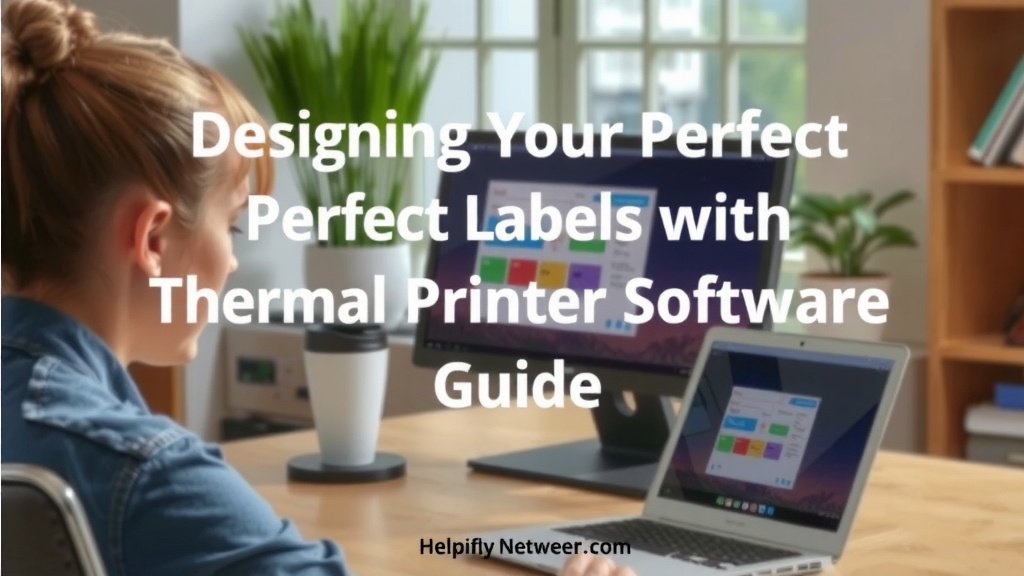
Designing Your Perfect Labels with Thermal Printer Software
Creating the right labels is more than just putting words on paper. It’s about clear communication for your products, inventory, or shipping. Thermal printer label software makes this process easy and professional. You can design labels that look great and work perfectly with your printer.
What Does This Software Actually Do?
At its core, thermal printer label software helps you design and print labels. Think of it as your digital canvas for label creation. You can add text, shapes, and even images. Many programs also allow for easy barcode generation. This is super handy for inventory or retail.
Customizing Your Labels
The best part is the customization. You aren’t stuck with generic templates. You can choose fonts, sizes, and colors. Positioning elements on the label is usually drag-and-drop. This makes it simple to arrange everything just the way you want it. It feels like using a simple graphic design tool, but for labels.
Barcode Generation Made Simple
Need barcodes? Most software handles this. You can create various barcode types like Code 128 or QR codes. Just input the data, choose the type, and the software does the rest. This saves you from needing separate barcode generators. It’s a big time-saver for businesses. Many experts say barcodes are essential for modern tracking (GS1 Standards).
Key Features You Need in Label Software
Not all label software is created equal. You’ll want to look for certain features to make your life easier. We found that a few key areas make a big difference in usability and effectiveness.
Ease of Use and Intuitive Interface
This is probably the most important factor. If the software is confusing, you won’t use it. Look for a clean interface with clear menus. Drag-and-drop functionality is a huge plus. You shouldn’t need a degree in computer science to print a label. We found that software designed for ease of use often has better adoption rates.
Printer Compatibility
Your software needs to talk to your printer. Ensure the software you choose supports your specific thermal printer model. Most software lists compatible brands and models. Check this before you buy or download. Sometimes, a generic driver might work, but native support is always best. This avoids frustrating connection issues.
Design Flexibility and Tools
Can you add images? Can you rotate text? Can you create a border? These design options matter. You’ll want tools that let you create labels that meet your needs. This includes things like variable data printing. That means printing different information on each label from a list or database.
Barcode and Data Matrix Support
If barcodes are part of your plan, confirm the software supports the types you need. This includes 1D barcodes (like UPC) and 2D codes (like QR codes). Make sure the software can handle the data requirements for these codes. Some businesses need to encode specific information within a barcode. This is a common need in supply chain management.
Types of Thermal Label Software Available
There are several categories of software you might encounter. Understanding these can help you narrow down your search. We found that most users fall into one of these categories based on their needs.
Free and Basic Label Software
Many printer manufacturers offer free software with their printers. These are often basic but functional. They are great for simple text and barcode labels. If your needs are minimal, these can be perfectly adequate. You get what you pay for, but sometimes that’s exactly what you need.
Professional Label Design Suites
These are more advanced, often paid, software packages. They offer a wider range of design tools and features. You’ll find more complex barcode options and database connectivity. These are best for businesses with demanding labeling requirements. They might also offer cloud-based solutions for teams.
Web-Based or Cloud Label Software
This type of software runs in your web browser. You access it online, so there’s no installation needed. This is convenient for multiple users or if you switch computers often. Data is often stored in the cloud, making it accessible from anywhere. Many experts point to cloud solutions as the future for business software due to their accessibility (Gartner).
Making Your Choice: What to Consider
Choosing the right software can feel overwhelming. Let’s simplify it by focusing on a few key questions you should ask yourself. Your answers will point you toward the best solution.
What is Your Budget?
Software ranges from free to hundreds of dollars. Free options are fine for light use. If you need advanced features, you’ll likely need to invest. Many paid options offer free trials, so you can test them out first. A small investment can pay off in saved time and fewer errors.
How Many Labels Will You Print?
Printing a few labels a week is different from printing hundreds daily. High-volume printing requires robust and efficient software. You’ll want something that handles batch printing easily. Software designed for high volumes often has better performance. This is a key factor in manufacturing and logistics.
What Information Needs to Be on Your Labels?
Are you just printing product names and prices? Or do you need serial numbers, dates, times, and complex barcodes? The complexity of your label data will dictate the software features you need. Consider future needs, too. You don’t want to outgrow your software too quickly.
Who Will Be Using the Software?
Will only one person use it, or will a whole team need access? If multiple people will use it, consider user management features. Cloud-based software often excels here. Ease of use is also critical if less tech-savvy individuals will be operating it. Training time is a real cost.
Getting Started: A Simple Checklist
Ready to find your perfect label software? Here’s a quick checklist to guide you through the process:
- Define your label needs (text, barcodes, images, data sources).
- Check printer compatibility with any software you consider.
- Evaluate ease of use – does it feel intuitive?
- Consider your budget and available free trials.
- Read reviews to see what other users say.
- Test a demo or free version before committing.
Conclusion
You’ve learned that choosing the right thermal printer label software is key to professional and efficient labeling. We found that focusing on ease of use, printer compatibility, and the specific features you need—like barcode generation or variable data printing—will make a big difference. Whether you opt for a free basic tool or a professional suite, testing a demo or free version first is always a smart move. Your next step is to evaluate your label needs and start testing potential software solutions.
Frequently Asked Questions
Can I use any label software with my thermal printer?
Not all software is universally compatible. You must ensure the label software you choose specifically supports your thermal printer model. Always check the manufacturer’s compatibility list before downloading or purchasing software to avoid connection issues.
What’s the difference between free and paid label software?
Free software is great for basic needs like simple text and barcode labels. Paid or professional suites usually offer advanced design tools, more barcode types, database connectivity, and better support. We found that paid options are often better for businesses with high-volume or complex labeling requirements.
How important is printer compatibility for label software?
Printer compatibility is extremely important. If the software and printer don’t communicate properly, you’ll run into printing errors, alignment issues, or the inability to print at all. Native driver support from the software vendor is always the most reliable option.
Can thermal printer label software handle variable data printing?
Yes, many thermal printer label software options, especially professional suites, can handle variable data printing. This allows you to print unique information, like serial numbers or names, on each label from a spreadsheet or database. This feature is vital for personalized labeling.
What is the easiest way to add barcodes to my labels?
The easiest way is to use label software that has a built-in barcode generator. You typically select the barcode type you need, input the data, and the software creates the barcode image for you. We found this integrated feature saves a lot of time compared to using separate barcode generators.