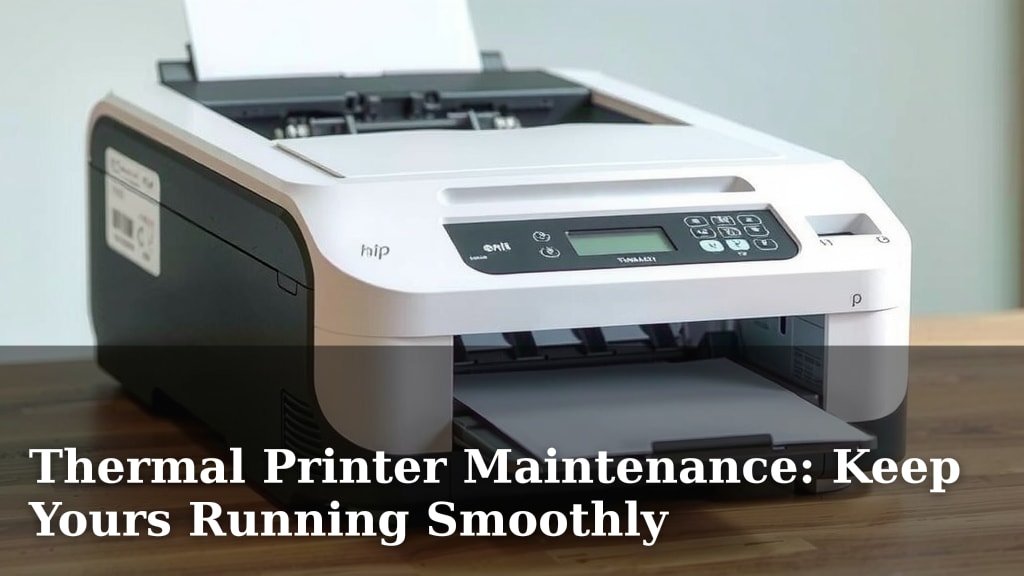
Thermal Printer Maintenance: Keep Yours Running Smoothly
To properly maintain your thermal printer, you should regularly clean the print head and surrounding components. This simple step prevents smudges and ensures your labels or receipts are always clear and readable. Keeping your thermal printer clean also helps extend its lifespan.
Your thermal printer relies on delicate parts that can easily get dirty from dust and paper debris. Neglecting maintenance can lead to poor print quality and even cause costly breakdowns. Following a routine cleaning schedule is key for consistent performance and to avoid frustrating print errors.
- Regularly clean the print head.
- Wipe down the platen roller.
- Check and clean the paper path.
- Use approved cleaning supplies.
- Perform maintenance when the printer is cool.
Ready to keep your printer running smoothly? Let’s walk through the easy steps to maintain your thermal printer and ensure it’s always ready to go.
“`htmlKeeping Your Thermal Printer in Top Shape
Maintaining your thermal printer is much like taking care of a trusty tool. A little attention keeps it working reliably for a long time. You want crisp labels or receipts every single time, right? Let’s look at how to make sure that happens.
Essential Cleaning Steps for Thermal Printers
The most important part of keeping your thermal printer running smoothly is regular cleaning. Think of it like giving your printer a spa day. This prevents issues before they even start.
The Print Head: Your Printer’s Most Delicate Part
The print head is where the magic happens, transferring heat to the thermal paper. Because it’s so important, it also needs the most care. Dust, adhesive residue from labels, and paper dust can build up here.
When the print head gets dirty, it can cause faint lines, gaps, or completely blank spots on your prints. This makes your labels hard to read. Cleaning it is pretty simple, but you have to be gentle. Many experts suggest using a lint-free cloth or a specialized thermal printer cleaning pen. These pens often contain a special solution that dissolves residue without damaging the print head.
Always make sure your printer is powered off and cool before you start cleaning. This is important for your safety and to prevent damage to the print head itself. Gently wipe the print head from one side to the other. Don’t scrub hard, as this can scratch the delicate surface. Let it air dry completely before turning the printer back on.
Cleaning the Platen Roller
The platen roller is the rubber cylinder that feeds the paper through your printer. It works closely with the print head. If it’s dirty, it can cause paper jams or misalignment.
You can usually clean the platen roller with a damp cloth or a cotton swab dipped in isopropyl alcohol. Again, make sure the printer is off and cool. Slowly rotate the roller as you clean it. This ensures you get all the grime off. A clean roller helps the paper feed smoothly and evenly, which is key for good print quality.
Clearing the Paper Path
The path the paper takes from the roll to the output needs to be clear of debris. Small bits of paper, dust bunnies, or even stray adhesive can get lodged in here. These obstructions can cause jams and errors.
Open up your printer and look for any visible debris. You can use compressed air to blow out loose dust and paper fragments. For anything stuck, try using tweezers carefully. Be sure not to force anything or scratch internal components. A clear paper path is vital for uninterrupted printing. We found that even a tiny piece of paper can cause big problems.
Don’t Forget the Exterior and Sensors
While you’re cleaning the inside, give the outside of your printer a wipe-down too. A clean exterior looks professional and prevents dust from being pulled into the printer. Also, check the paper sensors. These small optical sensors tell the printer where the paper starts and ends. Dust on these can lead to misfeeds or the printer not recognizing paper at all.
You can clean sensors with a dry cotton swab. If you have a more stubborn buildup, a cotton swab lightly dampened with distilled water can work. Just be sure everything is completely dry before you close everything up. Keeping sensors clean helps your printer know exactly what’s going on with the paper.
Choosing the Right Cleaning Supplies
Using the correct cleaning supplies is as important as the cleaning itself. You don’t want to accidentally damage your printer with the wrong products.
Many manufacturers recommend using approved cleaning solutions specifically designed for thermal printers. These are formulated to be safe for the print head and other sensitive parts. For general cleaning, isopropyl alcohol (90% or higher) is often suitable. Always check your printer’s manual first. It will tell you exactly what supplies are best.
Avoid using harsh chemicals, abrasive cloths, or paper towels. Paper towels can leave behind lint, and abrasive materials can scratch the print head. For cleaning pens, we found that they are often the most convenient option for the print head. They offer a controlled application of the cleaning solution.
Scheduled Maintenance: The Key to Longevity
How often should you clean your thermal printer? This depends on how much you use it and the environment it’s in. But having a schedule is a good idea.
Frequency Guidelines
For printers used in high-volume environments, like shipping or retail, a daily or weekly check might be necessary. This could involve a quick wipe of the print head and checking the paper path.
For printers used less frequently, a monthly deep clean might suffice. Many experts suggest performing a full cleaning routine every 1000 to 2000 print hours or whenever you notice a decline in print quality. This preventative care stops small issues from becoming big problems.
What to Look For During Maintenance
During your scheduled maintenance, perform a thorough inspection. Look for any signs of wear and tear on the print head. Check if the platen roller is becoming worn or cracked. Examine the paper path for any obstructions or damage.
You should also check the printer’s firmware. Sometimes, updating the firmware can improve performance and resolve minor glitches. Your printer’s manual will guide you on how to do this. Keeping an eye on these details helps you catch potential issues early.
Troubleshooting Common Print Quality Issues
Even with regular maintenance, you might encounter print quality problems. Here are a few common ones and how to address them.
Faded or Incomplete Print
This is often due to a dirty or damaged print head. Make sure you’ve cleaned the print head thoroughly. If the problem persists after cleaning, the print head might be nearing the end of its life and may need replacement. Also, ensure your thermal paper isn’t expired or of poor quality, as this can also affect print clarity.
Smudges or Streaks
Smudges usually indicate debris on the print head or platen roller. Give both a good cleaning. If you’re seeing streaks, it could be a specific spot on the print head that isn’t heating properly or is damaged. Sometimes, a gentle scrape with a plastic tool (if your manual allows) can dislodge stubborn residue.
Paper Jams and Misfeeds
These are almost always caused by something obstructing the paper path. Double-check for small pieces of paper, labels, or debris. Ensure the paper roll is loaded correctly and that the guides are set to the proper width. If the paper is constantly misfeeding, your sensors might need cleaning.
Best Practices for Thermal Printer Care
Beyond regular cleaning, a few other habits can help your thermal printer last longer and perform better.
Use Quality Thermal Paper and Labels
Not all thermal paper is created equal. Using low-quality paper can leave more residue and wear down your print head faster. It’s best to use high-quality thermal paper that is specifically designed for your printer model. Reputable brands often offer better results and longer lifespan for your printer’s components. Check your printer’s manual for recommendations.
Proper Ventilation and Environment
Thermal printers generate heat. They need proper ventilation to function correctly. Ensure the printer has enough space around it for air to circulate. Avoid placing it in direct sunlight, humid areas, or dusty environments. Extreme temperatures can affect performance and longevity. A stable, clean environment is ideal.
Handle with Care
When you need to move your printer, do so carefully. Avoid dropping it or subjecting it to rough handling. The internal components, especially the print head, are sensitive. If you need to transport it, use the original packaging or adequate protective materials.
Your Thermal Printer Maintenance Checklist
Here’s a quick rundown of what to do:
- Power off and cool down the printer.
- Gently clean the print head with a lint-free cloth or cleaning pen.
- Wipe down the platen roller with a damp cloth or alcohol swab.
- Inspect and clear any debris from the paper path.
- Clean external surfaces and optical sensors.
- Check that labels and paper are loaded correctly.
By following these simple steps, you can ensure your thermal printer continues to deliver clear, crisp prints whenever you need them. It’s a small investment of time that pays off in reliability and avoids costly repair bills down the line.
“`Conclusion
You’ve learned that keeping your thermal printer in excellent condition is straightforward. Regular cleaning of the print head, roller, and paper path prevents common issues and ensures clear, sharp prints. Using the right supplies and performing checks based on your usage will extend your printer’s life significantly. By incorporating these simple maintenance steps into your routine, you’ll avoid costly repairs and frustrating downtime. Make it a habit to perform a quick check weekly and a thorough cleaning monthly, and your printer will serve you reliably for years to come.
Frequently Asked Questions
How often should I clean my thermal printer’s print head?
For high-volume printers, a daily or weekly wipe of the print head is often recommended. For less frequent use, a monthly cleaning might be sufficient. It’s best to clean it whenever you notice any degradation in print quality, such as faded lines or gaps.
Can I use regular household cleaners on my thermal printer?
No, you should avoid household cleaners. They can contain harsh chemicals that damage the print head or other sensitive components. Always use approved thermal printer cleaning solutions, isopropyl alcohol (90% or higher), or a specialized cleaning pen designed for these printers.
What should I do if my printer starts producing smudged or streaky prints?
Smudged prints usually mean there’s debris on the print head or platen roller. Give both components a thorough cleaning. If streaks persist, there might be a specific spot on the print head that’s damaged, and you may need to consider replacement.
Why is it important to use high-quality thermal paper?
Low-quality thermal paper can leave behind more residue, which quickly dirties your print head and platen roller. This residue can also cause premature wear on these parts. Investing in good quality paper leads to better print quality and a longer lifespan for your printer.
What’s the best way to clean the optical sensors in my printer?
You can clean the optical sensors with a dry cotton swab to remove dust. If there’s a more stubborn buildup, lightly dampen a cotton swab with distilled water. Ensure the sensors are completely dry before closing up the printer or turning it back on.