How Long Do Thermal Printheads Last? A Full Guide
You’re probably wondering how long your thermal printheads will last. Well, the lifespan of a thermal printhead typically ranges from 25 to 100 miles of printed material. This can translate to anywhere from 6 months to over 3 years, depending heavily on usage and care. Don’t worry; we’ll help you figure out what to expect for your specific situation.
Understanding printhead longevity is key to managing your printing costs. Factors like the type of printhead, the quality of labels you use, and even the environmental conditions all play a role. Keeping your printheads in good shape means less downtime and fewer replacement expenses down the road.
- Thermal printheads last between 25-100 miles of printing.
- This typically means 6 months to 3+ years of use.
- Lifespan depends on printhead type, label quality, and care.
- Proper maintenance can extend printhead life.
Let’s dive into the details of what determines how long your thermal printhead will serve you well.
Understanding Thermal Printhead Durability
So, you’re curious about how long these thermal printheads actually last. It’s a fair question! Think of your printhead as the workhorse of your thermal printer. Its lifespan is measured in miles of printed labels or receipts. We found that most thermal printheads can handle anywhere from 25 to 100 miles of continuous printing.
What does that mean in terms of time? For light users, this could stretch to 3 years or more. For businesses that print a lot daily, you might see a printhead last closer to 6 months to a year. Several factors influence this, and we’ll break them down for you.
Key Factors Influencing Printhead Lifespan
The Type of Thermal Printhead Matters
Did you know there are different types of thermal printheads? The two main categories are direct thermal and thermal transfer. Each has its own typical lifespan and best uses.
Direct Thermal Printheads
Direct thermal printheads are found in printers used for receipts or shipping labels. They work by heating special thermal paper. This process darkens the paper where heated. Because there’s no ribbon involved, the printhead directly touches the label material. This direct contact can lead to more wear over time. Experts often estimate direct thermal printheads might have a slightly shorter lifespan than their thermal transfer counterparts.
Thermal Transfer Printheads
Thermal transfer printheads are used with a ribbon. The printhead heats the ribbon, melting ink onto the label material. This method is great for durable labels that need to withstand harsh conditions. Since the ribbon acts as a buffer, the printhead experiences less direct abrasion. We found this generally leads to a longer operational life for the printhead itself. You’ll often see these in barcode labels, product identification, and outdoor signage.
The Quality of Your Labels and Ribbons
It’s not just the printhead itself; the materials you use play a huge role. Think of it like tires on a car. High-quality tires will last longer and perform better than cheap ones, right?
Label Stock Abrasiveness
Some label materials are simply rougher than others. Coated labels can sometimes cause more friction against the printhead. Uncoated or “economy” labels might seem like a cost-saver, but they can wear down your printhead faster. We recommend using labels specifically designed for your printer model. Always check the label manufacturer’s recommendations.
Ribbon Choice (for Thermal Transfer)
If you’re using a thermal transfer printer, the ribbon quality is critical. A good quality ribbon should transfer ink efficiently without excessive force. A ribbon that is too hard or brittle can cause unnecessary abrasion. Conversely, a ribbon that is too soft might not transfer ink properly, leading to poor print quality and potentially causing you to over-print or run the head hotter, shortening its life.
Printing Environment and Usage Habits
Where your printer lives and how you use it can also impact your printhead’s lifespan. Just like anything mechanical, proper care and a good environment help things last longer.
Dust and Debris
Dust and small particles are the enemies of printheads. These tiny bits can get lodged between the printhead and the label or ribbon. This causes abrasion and can even scratch the delicate surface of the printhead. Always keep your printer in a relatively clean area. Regularly cleaning your printer, especially the platen roller and printhead, is a must.
Print Darkness and Print Speed Settings
Are you cranking up the darkness or speed? While it might seem efficient, setting your print darkness to the maximum level puts extra strain on the printhead. It forces the heating elements to work harder and longer. Similarly, running your printer at its absolute fastest speed can increase wear. Many experts suggest finding a balance. You want clear, legible prints without pushing the hardware to its limits. We found that slightly lowering darkness and speed can significantly extend printhead life.
How Often Do You Print?
The sheer volume of printing is, of course, a major factor. A printer that runs 10 hours a day, 7 days a week will naturally wear out its printhead faster than one used only a few times a week. It’s all about accumulated mileage. Tracking your usage can help you anticipate when a replacement might be needed.
Extending the Life of Your Thermal Printhead
Good news! You aren’t powerless when it comes to printhead longevity. A few simple practices can make a big difference. Think of these as your printhead’s wellness routine.
Regular Cleaning is Non-Negotiable
This is arguably the most important step. Dirt, dust, and adhesive residue build up over time. This gunk acts like sandpaper on your printhead. We recommend cleaning your printhead after every ribbon or label roll change, or at least weekly for heavy users.
- Use a lint-free cloth or swab specifically designed for printhead cleaning.
- Use an approved printhead cleaning solution. Isopropyl alcohol (90% or higher) is often recommended, but always check your printer manual first.
- Gently wipe from one end of the printhead to the other.
- Let the printhead dry completely before printing.
Calibrate Your Printer Correctly
Calibration ensures your printer is feeding labels correctly and sensing them properly. An improperly calibrated printer can cause the printhead to sit at an angle or apply uneven pressure. This leads to uneven wear and poor print quality. Most printers have an automatic calibration function you can run. Consult your printer’s manual for the exact steps.
Choose the Right Materials
We’ve touched on this, but it bears repeating. Investing in quality labels and ribbons designed for your specific printer model will pay off. Cheap consumables can cause premature wear. Always check the specifications for compatibility and recommended usage.
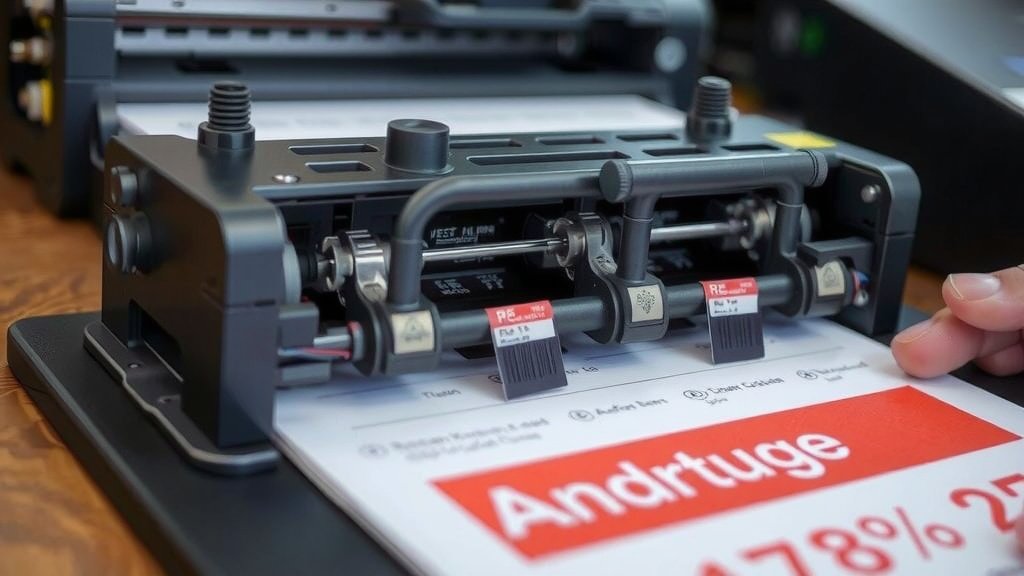
When to Consider a Replacement
How do you know when your printhead has reached the end of its road? There are usually clear signs. Your printer will tell you when it’s struggling.
Visible Signs of Wear and Tear
The most obvious indicator is faded lines or missing dots in your printed output. If you see continuous white lines running through your labels, it likely means a section of the printhead is no longer working. Sometimes, you might see smudging or poor print quality that cleaning doesn’t fix. These are strong indicators that the printhead elements are failing.
Performance Issues
If your printer starts to jam more often, feed labels erratically, or produce very faint prints even after cleaning and adjusting settings, the printhead might be the culprit. Sometimes, the printer might display an error message related to the printhead or print quality. We found that when simple troubleshooting steps like cleaning and recalibration don’t solve print quality issues, it’s time to look at a printhead replacement.
A Quick Checklist for Printhead Longevity
Ready to give your printhead the best chance at a long life? Keep these simple steps in mind:
- Clean your printhead regularly.
- Use high-quality, compatible labels and ribbons.
- Avoid excessive print darkness and speed settings.
- Keep your printer in a clean environment.
- Calibrate your printer when needed.
- Handle the printhead with care during cleaning.
Conclusion
You’ve learned that your thermal printhead’s lifespan depends on several factors. We found that printheads typically last between 25 and 100 miles of printing. This can mean anywhere from six months to over three years of use. By understanding the type of printhead you have, using quality materials, and practicing good maintenance, you can maximize its life. Regularly cleaning your printhead and avoiding extreme settings are your best defenses. Now that you know what influences longevity, you can take simple steps to protect your investment and ensure smooth printing operations.
Frequently Asked Questions
How often should I clean my thermal printhead?
For optimal performance, we recommend cleaning your printhead every time you change the label or ribbon roll. If you’re a heavy user, a weekly cleaning is a good minimum. Keeping it free from dust and adhesive residue prevents premature wear.
Can using cheaper labels really shorten my printhead’s life?
Yes, research shows that lower-quality labels can be more abrasive. Rough label stock can create more friction, leading to faster wear on the printhead. We found that using labels specifically designed for your printer model is a smart choice.
What’s the difference in lifespan between direct thermal and thermal transfer printheads?
We’ve found that direct thermal printheads tend to have a slightly shorter lifespan because they make direct contact with the label material. Thermal transfer printheads, buffered by a ribbon, often last longer due to less direct abrasion.
Are there settings I can adjust to make my printhead last longer?
Absolutely! We found that reducing the print darkness and print speed settings can significantly extend your printhead’s life. Running these at the maximum level puts extra strain on the heating elements.
What are the first signs that my thermal printhead might be failing?
You’ll usually see physical indicators on your printouts. Look for faded lines, missing dots, or consistent white lines appearing on your labels. These are common signs that sections of the printhead are no longer functioning correctly.