Thermal Printer Buying Guide: What to Look For
When picking out a new thermal printer, you should focus on its resolution, speed, and the type of printing it does. Direct thermal printers are great for labels that don’t need to last forever. Thermal transfer printers, on the other hand, use a ribbon to create more durable prints.
Think about where you’ll use it most. If you need quick receipts, a fast model is key. For detailed product labels, look for higher resolution. We found that choosing the right connectivity, like USB or Wi-Fi, is also important for your workflow.
- Print Resolution: Higher DPI means sharper text and images.
- Print Speed: Measured in inches per second (ips).
- Printing Method: Direct thermal (no ribbon) or thermal transfer (uses ribbon).
- Connectivity: USB, Ethernet, Wi-Fi, or Bluetooth.
- Durability: How well will the print withstand wear and tear?
Let’s get down to what really matters. We’ll help you figure out the best thermal printer for your needs.
Key Features to Consider When Choosing a Thermal Printer
Selecting the right thermal printer can feel like a big decision. But don’t worry, we’ve broken down the essentials for you. Your primary goals will be clear printing, reliable performance, and easy integration into your existing setup. Let’s explore the core features that make a thermal printer a winner for your business.
Understanding Print Resolution: Clarity is Key
When you look at a thermal printer, the first thing you’ll want to understand is its resolution. This is measured in dots per inch, or DPI. Think of it like the pixels on your screen. More dots mean a sharper, clearer image. For most general label printing, 203 DPI is perfectly fine. This level handles standard text and simple graphics well. It’s a common and cost-effective choice.
When High Resolution Matters
However, if your work involves printing very small text or detailed graphics, like barcodes with tight spacing or intricate product logos, you’ll want to aim higher. Many printers offer 300 DPI or even 600 DPI. We found that a higher DPI, like 300 DPI, can make a noticeable difference in the readability of small fonts. This is particularly important for compliance labels or when precise barcode scanning is a must. It ensures that every detail is captured clearly, reducing errors and improving efficiency.
The Importance of Print Speed
Print speed is another critical factor. It’s usually measured in inches per second (ips). This tells you how quickly the printer can churn out labels or receipts. If you have a high-volume operation, speed is definitely your friend. A faster printer means less waiting time for your staff and customers. This can significantly improve your workflow. For example, a retail store needs to print receipts quickly during busy checkout periods. A slow printer here would lead to customer frustration.
Matching Speed to Your Needs
Consider your typical daily or hourly printing volume. If you only print a few labels a day, a very fast printer might be overkill. You could save money by opting for a slightly slower model. On the other hand, if you’re printing hundreds or thousands of labels daily, investing in a faster printer will pay for itself in time saved. Many experts suggest that for busy environments, aiming for 5 ips or higher is a good starting point. We found that even a small increase in speed can accumulate into significant time savings over a year.
Direct Thermal vs. Thermal Transfer: Two Paths to Printing
This is a fundamental choice you’ll need to make. The two main types of thermal printing are direct thermal and thermal transfer. Each has its own set of advantages and is suited for different applications. Understanding the difference will help you pick the right technology for your specific needs.
Direct Thermal Printing: Simple and Speedy
Direct thermal printers are simpler. They work by heating special thermal paper. This paper has a coating that turns black when heated by the print head. You don’t need any ink, toner, or ribbons. This makes them very easy to use and maintain. They are also generally more affordable upfront. Direct thermal is excellent for short-term use items.
Best Uses for Direct Thermal
Think shipping labels, receipts, boarding passes, and temporary visitor badges. These are items that don’t need to last for years. The prints can fade over time, especially when exposed to heat, light, or abrasion. We found that for applications where print longevity isn’t a primary concern, direct thermal is a great, cost-effective solution. It’s a workhorse for many everyday printing tasks.
Thermal Transfer Printing: Durable and Versatile
Thermal transfer printers are a bit more complex. They use a ribbon (a roll of ink) and a label material that is not heat-sensitive. The print head heats the ribbon, transferring the ink onto the label. This process creates a much more durable and long-lasting print. Thermal transfer prints are resistant to fading, smudging, and general wear and tear. Many guidelines suggest this method for items that will be handled frequently or stored for extended periods (FDA).
When Thermal Transfer Shines
This technology is ideal for product labels, asset tags, outdoor labels, and anything that needs to withstand harsh conditions. If you’re labeling inventory that gets moved around a lot, or product packaging that will be stored long-term, thermal transfer is the way to go. We found that the initial investment might be slightly higher due to the ribbon cost, but the durability often makes it the more economical choice in the long run for certain applications.
Connectivity Options: How Your Printer Connects
How your printer connects to your computer or network is a vital consideration. Poor connectivity can cause delays and frustration. Most modern thermal printers offer a range of options to suit different environments and workflows. You’ll want to ensure the printer plays well with your existing systems.
Common Connectivity Types
- USB: This is the most common and straightforward connection. It’s great for single computers. You plug it in, and it generally works.
- Ethernet: This uses a standard network cable. It’s ideal for connecting the printer to a shared network, allowing multiple computers to access it. This is common in office or warehouse settings.
- Wi-Fi: Wireless connectivity offers flexibility. You can place the printer anywhere within your Wi-Fi range without needing cables. This is handy for mobile workstations or if you want a cleaner setup.
- Bluetooth: Similar to Wi-Fi, but typically for shorter ranges. It’s often found on portable printers used with tablets or smartphones.
We found that choosing the right connectivity depends on how and where you’ll be using the printer. For a single workstation, USB is usually sufficient. For shared use or a more organized workspace, Ethernet or Wi-Fi might be better. Some printers even offer multiple connection options, giving you more flexibility down the line.
Durability and Build Quality
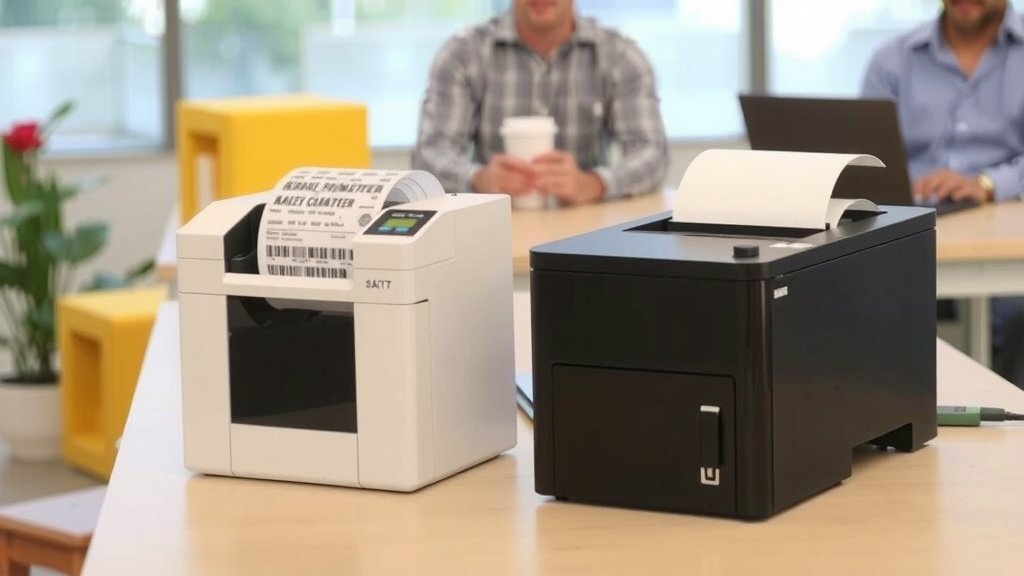
Think about where your printer will live. Will it be in a clean, climate-controlled office? Or will it be in a busy warehouse, a factory floor, or even outdoors? The environment will dictate how robust your printer needs to be. Printers designed for industrial settings are built to withstand dust, moisture, and accidental drops.
Considering Your Environment
Many printers are rated with an IP (Ingress Protection) code. Higher numbers indicate better protection against dust and water. For example, an IP54 rating means it has good protection against dust and splashing water. While many small business printers are designed for office use, ruggedized models are available for tougher environments. We found that investing in a more durable printer upfront can save you from costly repairs or replacements later, especially if your workplace is demanding.
Printer Size and Portability
Thermal printers come in all shapes and sizes. Some are compact desktop models, perfect for a counter or desk. Others are larger industrial units designed for heavy-duty use. And then there are portable printers, small enough to carry around.
Choosing the Right Footprint
Consider the space you have available. A small desktop printer won’t take up much room. If you need to print labels on the go, like for inventory checks in a large warehouse or for direct sales at events, a portable thermal printer is essential. These often connect via Bluetooth or Wi-Fi to your mobile device. We found that portability can greatly enhance productivity for mobile workforces, allowing them to generate labels or receipts right at the point of need.
Ease of Use and Maintenance
A printer should make your life easier, not harder. Look for models with intuitive controls and easy-to-understand user interfaces. Loading new media (labels or ribbons) should be a simple process. Many printers have features like drop-in paper loading to speed things up.
What to Look for in Maintenance
Maintenance is generally minimal for thermal printers. The main task is keeping the print head clean. You can usually do this with a specialized cleaning pen or solution. We found that printers with user-replaceable print heads can save on service costs if the print head eventually wears out. Checking reviews for ease of maintenance can prevent future headaches.
Key Checklist for Your Thermal Printer Purchase
Before you click “buy,” run through this quick checklist. It will help ensure you don’t overlook any critical features.
- Is the print resolution suitable for your label content?
- Is the print speed adequate for your volume?
- Does the printing method (direct thermal or thermal transfer) match your durability needs?
- Is the connectivity compatible with your existing systems?
- Is the printer built with enough durability for its intended environment?
- Is the size appropriate for your available space or portability needs?
Conclusion
Choosing the right thermal printer boils down to understanding your specific needs. You’ve learned that resolution impacts clarity, speed affects workflow, and the printing method (direct thermal or thermal transfer) determines durability. Don’t forget to match connectivity to your setup and consider the printer’s durability and footprint for your environment. By focusing on these key features, you can confidently select a printer that boosts your efficiency and meets all your labeling or receipt demands. Your next step is to compare models based on these criteria and make the purchase that best fits your business.
Frequently Asked Questions
What’s the difference between 203 DPI and 300 DPI thermal printers?
A 203 DPI printer is great for general text and simple graphics. We found it works well for most standard labels and receipts. A 300 DPI printer offers sharper text and more detail, which is better for small barcodes or intricate logos where readability is critical.
How do I know if I need direct thermal or thermal transfer?
If your labels will be handled frequently, exposed to light, or need to last a long time, choose thermal transfer. We research shows this method uses a ribbon for durable, long-lasting prints. Direct thermal is best for short-term items like receipts, as it doesn’t require a ribbon but prints can fade.
Is Wi-Fi connectivity really necessary for a small business printer?
Wi-Fi can be very useful for flexibility, allowing you to place the printer anywhere in your office without cables. We found it’s especially helpful if you have multiple users or mobile workstations. For a single computer, a simple USB connection might be all you need.
How often do I need to clean a thermal printer’s print head?
You should clean the print head periodically, especially if you notice print quality declining. We recommend using a specialized cleaning pen or solution. Regular cleaning helps maintain print clarity and extends the life of the print head itself.
Can I use any brand of label with a thermal printer?
It’s best to use labels specifically designed for your printer’s type and recommended by the manufacturer. For direct thermal printers, you need special thermal paper. For thermal transfer, you need compatible label stock and ribbons. We found that using the wrong media can result in poor print quality or damage to the printer.