Thermal Paper Explained: How It Works and Its Uses
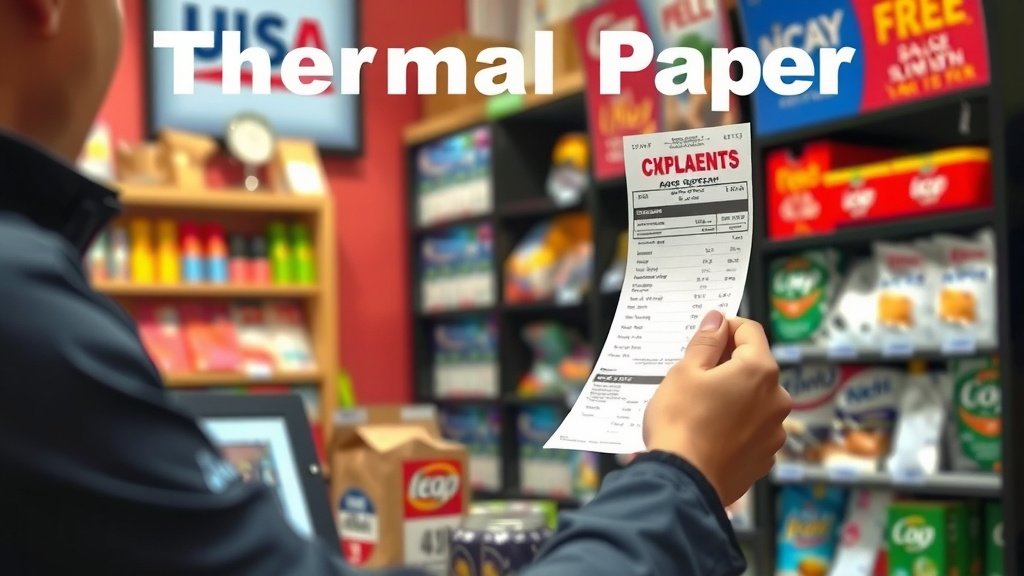
Thermal paper is a special type of paper coated with a heat-sensitive dye. When exposed to heat, such as from a printer’s thermal head, the dye darkens. This creates the printed image or text you see on receipts, labels, and tickets. It’s a fast and simple printing method for many common uses.
You’ve likely encountered thermal paper dozens of times daily. Think about your last grocery receipt or a parking ticket. This paper type is designed for quick, low-cost printing without needing ink cartridges. We found it’s incredibly common in point-of-sale systems.
- Thermal paper uses a heat-sensitive coating.
- Heat from a printer causes the coating to turn black.
- It’s common for receipts and labels.
- No ink cartridges are needed for printing.
Ready to understand how this handy paper works, its different types, and what to watch out for? Let’s walk through everything you need to know about thermal paper.
How Does That Receipt Paper Actually Work?
You’ve probably wondered about that receipt paper that turns black when a printer touches it. It’s not magic, but it is pretty clever science! Thermal paper is a special kind of paper. It’s coated with a unique mixture of chemicals. This coating reacts when it gets hot. That’s how your receipts get printed so quickly.
Think of it like a very simple, one-time chemical reaction. When heat is applied, the chemicals change color. This happens in specific spots, forming the letters and images you see. Many experts say this technology makes printing fast and efficient. It’s a popular choice for businesses because it’s so straightforward. You don’t need any ink at all for this to work!
The Science Behind the Black Mark
So, what exactly is in that special coating? It’s usually a combination of three main things. There’s a dye, a developer, and a stabilizer. The dye is often clear or colorless. The developer is an acidic substance. The stabilizer helps make the image last longer. It’s a careful balance of these components.
The Magic Ingredient: Heat-Sensitive Dye
The heart of thermal paper is its thermochromic dye. This dye has a special property. It can change color when its temperature goes above a certain point. We found that most thermal papers activate around 150°F (65°C). That’s not super hot, but it’s enough to cause the change. This dye is what gives the paper its printing ability.
What Makes the Dye Change?
The developer is what triggers the dye. It’s typically an acidic compound. When heat is applied, the dye and the developer melt. This brings them into close contact. As they mix, a chemical reaction occurs. This reaction changes the dye from clear to black. Many sources mention this interaction as the core of the printing process. It’s a neat chemical trick!
Keeping Your Prints Looking Good
The stabilizer is also important. It helps prevent the printed image from fading too quickly. Without it, your receipt might disappear before you even get home. Stabilizers can also protect the paper from things like plasticizers and oils. These can sometimes damage the image. Research shows that better stabilizers lead to longer-lasting prints. You might have noticed older receipts becoming hard to read over time; this is often why.
How a Thermal Printer Works
Now that you know about the paper, let’s talk about the printer. A thermal printer uses a special print head. This head has tiny heating elements. These elements can be turned on and off very quickly. When the printer needs to print, it sends an electrical signal. This signal tells specific heating elements to get hot. The paper moves under the print head.
The Thermal Print Head Explained
Imagine a grid of tiny light bulbs on the print head. Each bulb represents a tiny dot. The printer’s computer tells it which dots need to be heated. It’s like drawing with heat. As the paper passes over the heated dots, the coating melts and turns black. Many consumer guides highlight how precise these heads are. They can create very fine details and sharp text.
The Printing Process in Action
When you print a receipt, the data goes to the printer. The printer then heats specific points on the thermal paper. The paper moves continuously. This allows for fast printing. Many point-of-sale systems use this method. It’s much quieter and faster than older dot-matrix printers. You barely hear a thing while your receipt is being made.
Different Types of Thermal Paper
Not all thermal papers are created equal. There are a few main types you might encounter. Each has its own strengths and weaknesses. Understanding these can help you choose the right paper for your needs. Or at least help you understand why your receipt might look or feel different.
Direct Thermal Paper
This is the most common type. It’s what most grocery receipts and shipping labels use. It has the full three-layer coating we discussed. The heat from the printer is all it needs to print. It’s simple and cost-effective. We found that this is the go-to for many everyday uses. It’s designed for quick, temporary printing.
Thermal Transfer Paper
This type is a bit different. It doesn’t have the same heat-sensitive coating. Instead, it’s designed to work with a ribbon. The thermal print head heats the ribbon. The ribbon then transfers ink onto the paper. This is great for more durable labels or barcodes. Many industrial applications use this method. It creates prints that last much longer. Think of durable product labels that need to withstand handling.
| Type | How It Prints | Durability | Common Uses |
|---|---|---|---|
| Direct Thermal | Heat activates paper coating | Lower (fades over time) | Receipts, tickets, temporary labels |
| Thermal Transfer | Heat melts ink from a ribbon onto paper | Higher (water and fade resistant) | Durable labels, barcodes, asset tags |
What to Watch Out For
While thermal paper is convenient, it’s not perfect. There are a few things you should be aware of. These can affect the quality and longevity of your printed items. It’s good to know what to expect. We’ve gathered some common issues people face.
Fading and Discoloration
Direct thermal paper is prone to fading. Exposure to heat, sunlight, or even certain chemicals can cause this. If you have important documents printed on thermal paper, consider making a copy. Many sources, like government archives, advise against relying on thermal paper for long-term records. Your receipt might become unreadable surprisingly fast if stored improperly.
Sensitivity to Scratches
The top coating on thermal paper can scratch easily. This can leave white lines or smudges on your print. Be gentle with your receipts and labels. Avoid rubbing them vigorously. This is another reason why thermal transfer is preferred for items that get a lot of handling.
Environmental Concerns
Some thermal papers contain BPA or BPS. These are chemicals that can cause health concerns. Many manufacturers are moving towards BPA-free options. Always check the label if this is a concern for you. Research from organizations like the National Institute of Environmental Health Sciences points to potential risks. It’s wise to be informed about what you’re handling regularly.
A Quick Checklist for Thermal Paper Users
To sum things up, here’s a handy guide:
- Know your paper type: Direct vs. Thermal Transfer.
- Handle with care: Avoid heat and direct sun.
- Make copies: For important documents that need to last.
- Check for BPA/BPS: If you have sensitivities or concerns.
- Store properly: Keep in a cool, dry place away from light.
- Understand its limits: It’s great for short-term use!
Conclusion
You now have a clear picture of how thermal paper works its magic. You know it’s the heat-sensitive coating reacting to a printer’s thermal head that creates your receipts and labels. Remember, while direct thermal paper is convenient for everyday needs, its prints aren’t meant to last forever. For more durable applications, thermal transfer paper offers better longevity. Understanding these differences will help you appreciate the technology behind your daily transactions and make informed choices. Next time you get a receipt, you’ll know exactly what’s going on!
Frequently Asked Questions
How can I tell if my receipt is made of thermal paper?
A simple test is to rub the paper with your fingernail or a coin. If it turns black where you rubbed it, it’s likely thermal paper. You can also try holding a light source like a lighter (carefully!) briefly near the edge. If it darkens, it’s thermal. We found this is a quick way to check.
Why do thermal receipts fade over time?
The special coating on direct thermal paper is sensitive to heat, light, and certain chemicals. Over time, exposure to these elements causes the dye to break down, leading to fading. Keeping your receipts out of direct sunlight and away from heat sources can help slow this process. We recommend making copies of important receipts.
Is thermal paper safe to handle regularly?
Most modern thermal papers are made without BPA or BPS, which are chemicals that have raised some health concerns. Manufacturers are increasingly using safer alternatives. If you have concerns, look for “BPA-free” or “BPS-free” labels on products. Research suggests these newer papers are generally safe for everyday handling.
Can I reuse thermal paper?
No, thermal paper is designed for single-use printing. The printing process involves a chemical reaction that changes the paper’s coating. Once printed, the image is permanent for that reaction. You cannot erase or print over it again, so it’s not reusable for printing.
What’s the difference between direct thermal and thermal transfer labels?
Direct thermal labels use a heat-activated coating to print directly. They are great for receipts but fade over time. Thermal transfer labels, on the other hand, use heat to melt ink from a ribbon onto the label. This creates much more durable, water-resistant prints suitable for long-term use and harsh environments.