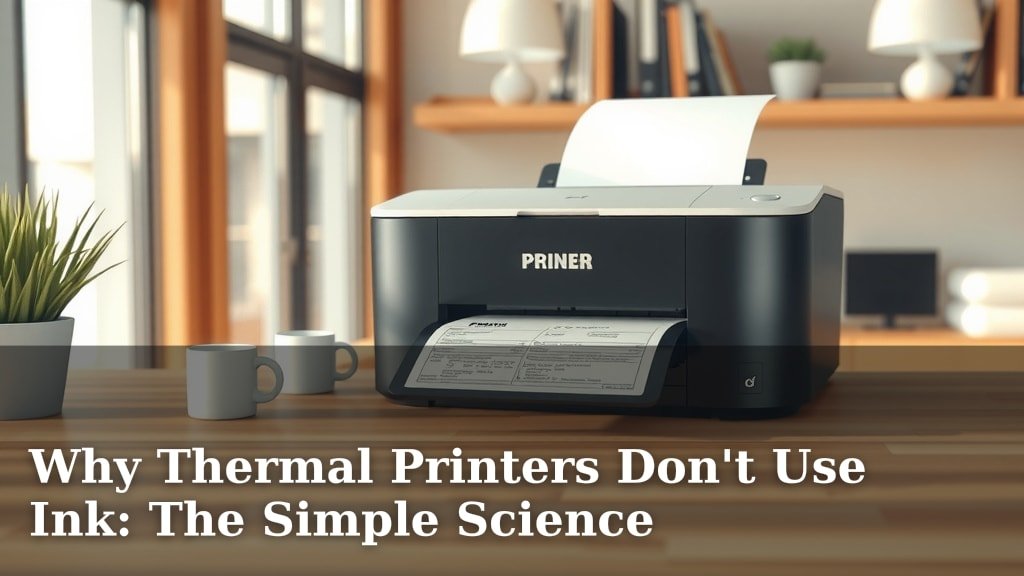
Why Thermal Printers Don’t Use Ink: The Simple Science
Thermal printers don’t use ink because they use a special kind of heat-sensitive paper. When the printer heats specific spots on this paper, those spots turn black. This process creates the text and images you see on your receipts and labels, making them ink-free and efficient. It’s a clever way to print without the mess or cost of ink cartridges.
This ink-free technology is why thermal printers are so common for receipts and shipping labels. They offer a low-maintenance printing solution. Unlike inkjet printers, you won’t have to worry about dried-out ink or buying expensive refills. It’s all about the paper doing the work.
- Thermal printers use heat to change special paper.
- No ink cartridges mean less mess and cost.
- This is why they are popular for receipts and labels.
- It’s a straightforward printing method.
Ready to understand why this makes them so unique? Let’s break down how thermal printing works without a drop of ink.
Understanding How Thermal Printers Work Without Ink
You’ve probably wondered why your receipts and shipping labels appear so quickly and without any messy ink. The answer is simpler than you might think. Thermal printers bypass traditional ink cartridges entirely. Instead, they use a clever process that relies on special paper and heat. Let’s dive into how this ink-free magic actually happens.
The Science Behind Ink-Free Printing
At its heart, thermal printing is about a chemical reaction triggered by heat. It’s a process that has been refined over the years to be incredibly efficient and reliable. You won’t find any tiny ink droplets or toner powder here. It’s all about the paper.
What Makes Thermal Paper Special?
The star of the show is the thermal paper itself. This isn’t your average copy paper. It’s coated with a special mixture of dyes and developers. Think of it like a hidden message waiting for the right signal. This coating is applied in a very thin, uniform layer. When heat is applied correctly, the dye and developer react. This reaction causes the paper to change color, turning black where it’s heated.
The Dye and Developer: A Chemical Duo
Inside the paper’s coating are two main components: a leuco dye and a developer. The leuco dye is colorless in its normal state. The developer is an acidic compound. When both are at room temperature, they are kept separate or inactive. They can’t interact. However, when the temperature rises above a certain point, they melt and mix. This chemical mixing is what creates the visible black mark on the paper. It’s a quick, one-step process.
Protecting Your Prints: Top Coats
Many thermal papers also have a protective top coat. This layer is important for several reasons. It shields the sensitive coating from things like moisture and oils. It also helps prevent premature color changes from sunlight or friction. This means your printed information stays legible for longer. It’s like putting a protective shield over your message. This helps ensure your important details remain clear.
The Thermal Print Head: The Heat Source
The printer itself has a crucial component called the thermal print head. This is where the heat comes from. The print head is a line of tiny heating elements. These elements are arranged very precisely, usually with 203 or 300 dots per inch (dpi). Each tiny element can be individually controlled. It can be turned on or off, and its temperature can be precisely managed. This allows the printer to create detailed text and images.
How the Print Head Creates Images
When you send something to print, the printer’s software translates the image or text into a series of on/off signals for the heating elements. As the thermal paper moves across the print head, specific elements are heated according to the pattern. Where an element gets hot enough, the coating on the paper reacts. It turns black, forming a dot. By controlling millions of these tiny dots in sequence, the entire image or text is formed on the paper.
Direct Thermal vs. Thermal Transfer
It’s important to know there are two main types of thermal printing: direct thermal and thermal transfer. The kind used for most receipts and labels is direct thermal. This is the method we’ve been discussing, where the paper itself changes color. But there’s another method worth mentioning.
Direct Thermal Printing Explained
Direct thermal printing is the most common for point-of-sale receipts and basic shipping labels. It’s popular because of its simplicity and cost-effectiveness. There are no ribbons or ink cartridges needed. You just need the printer and the special thermal paper. The process is exactly as we described: heat activates the special coating on the paper. It’s a clean, straightforward system.
A Quick Look at Thermal Transfer
Thermal transfer printing is a bit different. It uses a heated ribbon and a special ink-like coating on that ribbon. The print head heats the ribbon, melting the ink onto the label or paper. This method is often used for more durable labels, like those on industrial products or outdoor equipment. It’s more robust but requires both the ribbon and specialized labels. For everyday receipts, direct thermal is the way to go, and it’s why you don’t see ink.
Why No Ink is a Big Advantage
The absence of ink is the defining feature of direct thermal printing. This leads to several practical benefits that make it a favorite for many businesses. Let’s look at why this ink-free approach is so advantageous.
Reduced Costs and Maintenance
Traditional inkjet or laser printers require ongoing purchases of ink cartridges or toner. These can be surprisingly expensive. They also have moving parts that can wear out or clog. With direct thermal printers, there are no consumables like ink or toner. The only consumable is the paper itself. This significantly lowers the long-term operating costs. Plus, with fewer parts, there’s less to break down. Maintenance is usually limited to cleaning the print head occasionally.
Speed and Simplicity
Direct thermal printing is incredibly fast. The heating elements can create an image almost instantaneously. Because there’s no ink to dry or set, the printed output is ready immediately. This speed is crucial in busy retail environments where receipts need to be generated quickly. The entire process is also very simple. Load the paper, turn on the printer, and print. There’s no complex setup or calibration for ink levels. It just works.
Environmental Considerations
While all printing has some environmental impact, ink-free printing can offer certain advantages. There are no ink cartridges to dispose of. Many thermal papers are also recyclable. Some research suggests that a portion of the coatings can be removed during recycling processes. However, it’s always good to check local recycling guidelines. Some facilities may have specific instructions for handling thermal paper. Reducing the need for plastic ink cartridges is a positive step.
Print Quality and Durability (with caveats)
Direct thermal prints can be very crisp and clear when they are first produced. The sharp dots created by the heat offer excellent readability for barcodes and text. However, they are not as permanent as other printing methods. The image can fade over time, especially when exposed to heat, sunlight, or certain chemicals. For applications where extreme durability is needed, thermal transfer printing or other methods might be better. But for typical receipts and labels that are used within a reasonable timeframe, the quality is more than sufficient.
Comparing Thermal to Other Printers
To truly appreciate why thermal printers don’t use ink, it helps to see how they stack up against more common printer types. You’re likely familiar with inkjet and laser printers. They use very different technologies.
Inkjet Printers: The Drippy Contrast
Inkjet printers work by spraying tiny droplets of liquid ink onto paper. They have complex print heads with many nozzles. These nozzles can become clogged if the printer isn’t used regularly. This leads to streaky or missing lines in your prints. Ink cartridges can be expensive and often run out at the worst possible moment. Plus, the ink needs time to dry to prevent smudging. It’s a more involved process than thermal printing.
Laser Printers: The Powdered Approach
Laser printers use a laser beam to create an image on a charged drum. Toner powder is then attracted to the charged areas and transferred to the paper. A fuser unit then melts the toner onto the paper. Laser printers are great for high-volume text documents and offer good print quality. However, they are typically larger, more expensive, and still require toner cartridges. They are not designed for the compact, on-demand printing seen with receipt printers.
| Feature | Direct Thermal | Inkjet | Laser |
|---|---|---|---|
| Ink/Toner | None (uses special paper) | Liquid ink cartridges | Toner powder cartridges |
| Print Speed | Very Fast | Moderate | Fast |
| Cost Per Print | Low (paper cost only) | High (ink cost) | Moderate (toner cost) |
| Maintenance | Low (print head cleaning) | Moderate (nozzle cleaning, potential clogs) | Low (toner replacement) |
| Common Use | Receipts, labels, tickets | Home, photos, general documents | Office, high-volume documents |
| Print Durability | Moderate (fades with heat/light) | Good (varies by ink) | Very Good |
Key Takeaways for Ink-Free Printing
So, you’ve learned that thermal printers skip ink for a reason. It’s a system built for efficiency and speed. Here’s a quick recap of why this technology is so effective:
- They use heat-sensitive paper, not ink.
- A thermal print head applies precise heat.
- This heat triggers a chemical reaction on the paper.
- The reaction turns the paper black, forming images and text.
- This eliminates the need for ink cartridges, saving money and hassle.
- It’s why they’re perfect for fast-paced environments like retail.
Conclusion
You’ve learned that thermal printers skip the ink for a smart reason: they use special heat-sensitive paper. This clever design makes them incredibly efficient, fast, and low-maintenance. By avoiding ink cartridges, you save money and avoid common printing hassles like clogs and drying out. It’s why they’re the go-to choice for receipts and labels. If you’re looking for a reliable, cost-effective printing solution for these tasks, understanding the thermal process confirms it’s the right technology for your needs. Consider a direct thermal printer for your next purchase for simple, ink-free printing.
Frequently Asked Questions
Will thermal paper fade if I leave it in the sun?
Yes, direct thermal prints can fade when exposed to direct sunlight or heat. The chemical reaction that creates the black marks is sensitive to these conditions. For receipts or labels needing long-term durability, consider storing them away from direct light and heat.
Can I refill a thermal printer with ink like an inkjet?
No, thermal printers do not use ink cartridges at all, so there’s nothing to refill. They rely solely on the special thermal paper reacting to heat. You’ll never need to buy ink for a direct thermal printer.
Are thermal printers bad for the environment because of the special paper?
Direct thermal printing eliminates ink cartridges, reducing plastic waste. While the special paper has a coating, many types are recyclable. Always check your local recycling guidelines for how to properly dispose of thermal paper.
How long do thermal prints usually last before fading?
Under normal storage conditions, most direct thermal prints can last for months or even a few years. However, exposure to heat, light, or moisture will significantly shorten their lifespan. They are best for items intended for relatively short-term use.
Why do some shipping labels printed with thermal printers look different?
The difference often comes down to the quality of the thermal paper used and the printer’s resolution. Higher quality paper and printers with higher DPI (dots per inch) will produce sharper, more durable images. Also, ensure your printer’s print head is clean for the best results.