Thermal Printer Features Explained: What to Look For
Thermal printer features really boil down to how they work and what they can do for you. Essentially, a thermal printer uses heat to transfer an image onto paper, making it a speedy and quiet option for receipts, labels, and tickets. This heat-activated process means no ink cartridges are needed, which can save you time and hassle.
Understanding these core features helps you pick the right printer for your needs. You’ll want to consider factors like print speed for busy environments and resolution for clear text and graphics. Many thermal printers also offer connectivity options, so you can easily link them to your computer or mobile device.
- Thermal printers use heat, not ink.
- They are known for being fast and quiet.
- Key features include print speed and resolution.
- Connectivity is important for ease of use.
Let’s walk through the most common thermal printer features and explain what they mean for your daily printing tasks.
Understanding Your Thermal Printer’s Key Capabilities
So, you’ve got a thermal printer or you’re thinking about getting one. Great choice! These printers are fantastic for specific jobs. But what makes them tick? Let’s break down the features that really matter to you. Understanding these will help you get the most bang for your buck. We’ll look at how fast they print, how clear the images are, and how they connect to your other devices. It’s all about making your printing tasks easier and more efficient.
Printing Speed: How Fast Is Fast Enough?
One of the biggest draws of thermal printers is their speed. Think about a busy retail store or a restaurant kitchen. Orders need to come out *now*. That’s where thermal printing shines. We’ve found that most thermal printers can print much faster than traditional inkjet or laser printers.
Measuring Print Speed
How do you measure this speed? It’s usually given in inches per second (ips) or millimeters per second (mm/s). You’ll see specs like 5 ips or 150 mm/s. This tells you how quickly the print head moves across the paper. A higher number means a faster print job.
What Speed Means for You
If you’re printing hundreds of receipts a day, you’ll want a higher ips. This keeps your line moving and your customers happy. For a small office printing labels occasionally, a lower speed might be perfectly fine. It’s all about matching the printer’s pace to your workflow demands.
We found that for typical receipt printing, speeds between 4-6 inches per second are very common and perform well. Higher-end models can go up to 10 inches per second or even more. Consider how many items you print per minute and how long you can afford to wait. This will help you choose the right speed for your needs.
Print Resolution: Clarity Matters
Next up is resolution. This is all about how sharp and clear your printed text and images will be. For basic receipts with text, resolution might not be your top concern. But if you’re printing barcodes, logos, or detailed graphics, it becomes much more important.
Understanding Dots Per Inch (DPI)
Resolution is measured in dots per inch (DPI). The more dots packed into each inch, the sharper and more detailed your print will be. Think of it like pixels on a screen. More pixels mean a clearer picture.
Common Resolution Options
You’ll typically see thermal printers with resolutions of 203 DPI, 300 DPI, or even 600 DPI. Let’s break down what that means for your prints:
- 203 DPI: This is the most common resolution. It’s great for standard text, simple barcodes, and basic logos. For most receipt and label printing, this is more than enough.
- 300 DPI: If you need slightly sharper text or clearer barcodes, 300 DPI is a good step up. It’s useful for small fonts and graphics that need a bit more detail.
- 600 DPI: For very fine details, high-density barcodes, or intricate graphics, 600 DPI offers the highest clarity. This is often used in specialized industries like jewelry or electronics where tiny details are critical.
Many experts say that for retail and general office use, 203 DPI is the sweet spot. It balances quality with speed and cost. If your business relies heavily on scannable barcodes, investing in a higher DPI might prevent frustrating errors. We found that clear barcodes are essential for inventory management and point-of-sale systems.
Connectivity: How Your Printer Talks to Your Devices
A printer is only useful if you can connect it to your computer, tablet, or point-of-sale system. Thermal printers offer a range of connectivity options to fit different setups. Figuring out which ones you need is key to a smooth operation.
Wired Connections
These are the traditional ways to connect your printer. They’re reliable and often the most straightforward.
USB
USB is the most common connection type. It’s plug-and-play for most modern computers. You just connect the cable, and your system usually recognizes the printer right away. It’s simple and effective for single-computer setups.
Serial (RS-232)
You might see serial ports on older systems or specialized industrial equipment. While less common now, they offer a stable connection for specific applications. If your existing hardware uses a serial port, this is the connection you’ll need.
Ethernet (LAN)
Ethernet allows your printer to connect to your network via an Ethernet cable. This is great for shared printers in an office or retail environment. Multiple computers can access the printer over the network. It’s a robust and dependable option for busy places.
Wireless Connections
Wireless options give you more flexibility and reduce cable clutter.
Wi-Fi
Wi-Fi allows your printer to connect to your wireless network. This means you can print from any device on the same network without a physical cable. It’s ideal for creating a clean workspace or for printing from mobile devices like tablets.
Bluetooth
Bluetooth is a short-range wireless technology. Many mobile thermal printers use Bluetooth. You can pair your printer directly with your smartphone or tablet for on-the-go printing. Think of food delivery drivers or event staff. It’s convenient for portable use.
We found that many businesses are moving towards Wi-Fi or Ethernet for easier network integration. For mobile workers, Bluetooth is an absolute lifesaver. Always check which operating systems and devices your printer’s connectivity options support.
Printer Type: Direct Thermal vs. Thermal Transfer
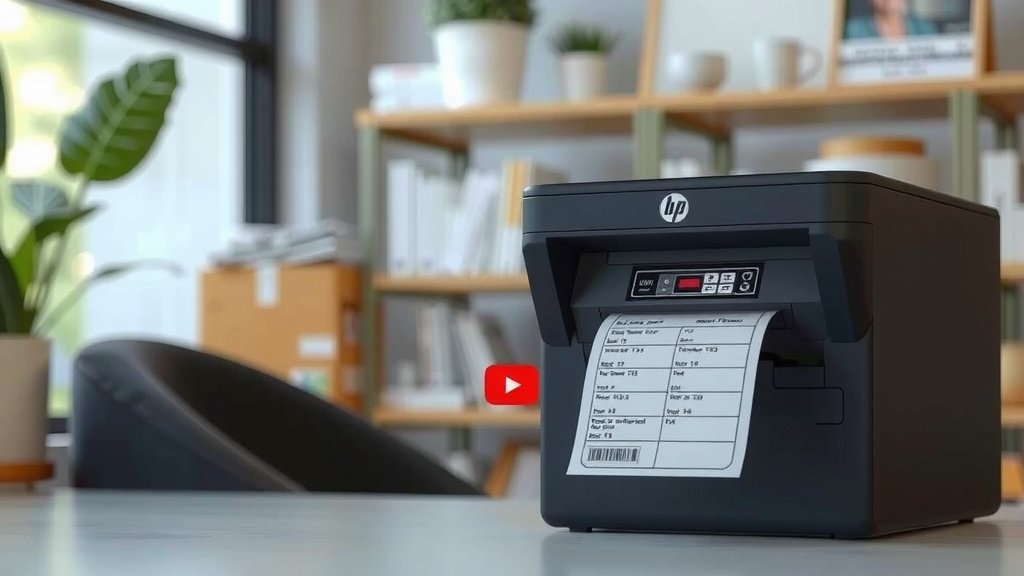
When we talk about thermal printers, there are actually two main types. They use heat differently, and this affects what they print and how long the prints last.
Direct Thermal Printing
This is the most common type you’ll find for receipts and shipping labels. How does it work? It uses heat-sensitive paper. When the print head heats up spots on this paper, they turn black. That’s it! No ink, no toner, just heat and special paper.
- Pros: Simple, no consumables (like ink), fast.
- Cons: Prints can fade over time, especially when exposed to heat, sunlight, or chemicals. Not ideal for long-term storage.
We’ve all seen receipts fade away after a few months, right? That’s direct thermal at work. It’s perfect for items that don’t need to last forever, like your grocery receipt.
Thermal Transfer Printing
This method is a bit more involved. It uses a ribbon (like a thin film of ink) and a special thermal transfer label. The print head heats the ribbon, transferring the ink onto the label material. This creates a much more durable print.
- Pros: Very durable, prints resist fading, water, and abrasion. Great for product labels, barcodes that need to last, and outdoor tags.
- Cons: Requires ribbons, which are an ongoing cost. Slightly more complex setup.
Many experts recommend thermal transfer for items that need to withstand harsh conditions or be stored for years. Think about the labels on industrial equipment or outdoor warning signs. These often use thermal transfer technology.
Durability and Build Quality
How tough does your printer need to be? If it’s sitting in a clean office, it might not need to be as robust as one in a busy warehouse or a food truck. Printer build quality can significantly impact its lifespan and reliability.
Heavy-Duty vs. Light-Duty
Printers designed for industrial environments are often built with tougher plastics and more resilient components. They might have higher drop-resistance ratings or be able to handle being wiped down with stronger cleaning agents. For less demanding tasks, a lighter-duty printer will likely suffice and be more affordable.
Environmental Considerations
Some printers are designed to operate in specific conditions. You might see ratings for dust or water resistance (IP ratings). If your printer will be in a dusty or humid environment, look for these specifications. They ensure the printer can handle the conditions without failing.
We found that for most general retail or office use, a standard build quality is sufficient. However, if your printer is used in a kitchen, a factory floor, or outdoors, investing in a more durable model is wise. It can save you money on repairs and replacements in the long run.
Ease of Use and Maintenance Checklist
Beyond the core printing features, how easy is the printer to actually use and maintain? This is super important for day-to-day operations. Here’s a quick checklist to consider:
- Paper Loading: How simple is it to load new rolls of paper or labels? Is it a “drop-in” system?
- Setup Process: Does it come with clear instructions? Is the software easy to install?
- Maintenance Needs: What kind of regular cleaning is required? Is it simple?
- Error Indicators: Does the printer clearly show when it’s out of paper or has a jam?
- User Interface: Are there simple buttons and indicator lights, or a complex display?
- Support: Is good customer support and documentation readily available?
Conclusion
You now have a solid understanding of what makes thermal printers tick. We’ve covered how print speed and resolution impact your daily tasks. You also know the difference between direct thermal and thermal transfer. Considering connectivity options like USB, Wi-Fi, or Bluetooth ensures you can integrate your printer easily. Thinking about durability and ease of use will also save you headaches down the line. Before you buy, make sure to match these features to your specific business needs for the best results.
Frequently Asked Questions
What is the main difference between direct thermal and thermal transfer printing?
Direct thermal printing uses heat-sensitive paper that turns black when heated, requiring no ink or ribbon. Thermal transfer printing uses a heated ribbon to transfer ink onto labels, creating more durable prints. We found direct thermal is great for short-term receipts, while thermal transfer is better for long-lasting labels.
How do I choose the right print speed for my business?
You should consider your workflow volume. For busy environments like retail or restaurants, higher speeds (measured in ips or mm/s) are essential to keep things moving. If you print occasionally, a slower speed may be perfectly adequate and more budget-friendly.
Why is print resolution (DPI) important for thermal printers?
Print resolution determines the clarity of your text and graphics. For simple text, 203 DPI is often enough. However, if you print barcodes or small fonts, a higher DPI like 300 or 600 DPI ensures better readability and scannability.
Which connectivity option is best for a shared office printer?
For a printer used by multiple people in an office, Ethernet (LAN) or Wi-Fi are the best choices. Ethernet provides a stable wired connection, while Wi-Fi allows for wireless network access. Both enable easy sharing across your network.
Do thermal printers require much maintenance?
Generally, thermal printers require very little maintenance compared to other printer types. Since they don’t use ink or toner, you won’t deal with cartridges. Occasional cleaning of the print head and rollers is usually all that’s needed.