Understanding Industrial Thermal Printers: A Comprehensive Guide
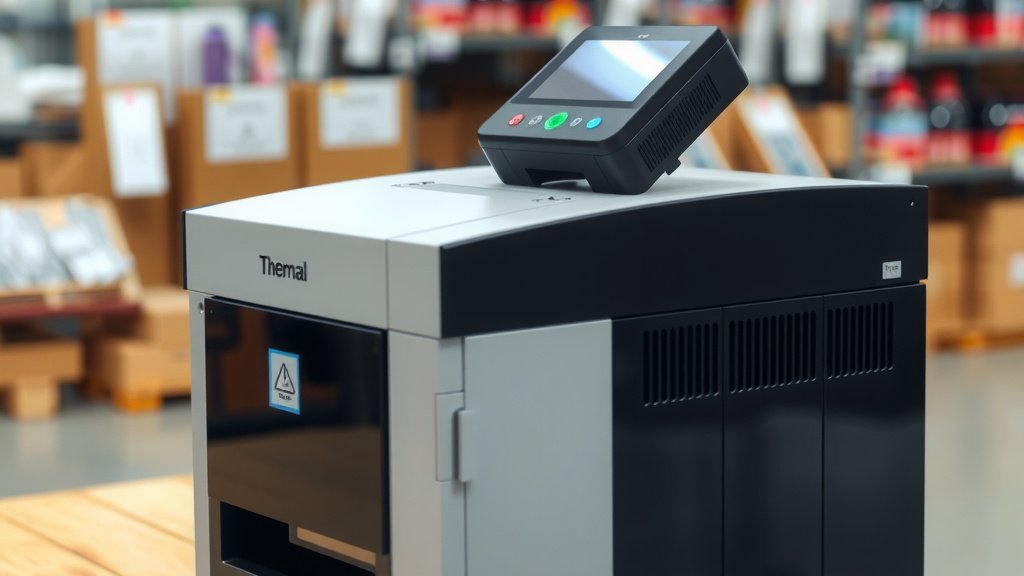
An industrial thermal printer is a specialized device designed for rugged environments. It prints labels, barcodes, and other information directly onto materials using heat. These printers are built to withstand harsh conditions like dust, moisture, and extreme temperatures, making them ideal for factories, warehouses, and outdoor applications. They are a reliable printing solution for businesses needing durable, long-lasting labels.
Unlike typical office printers, industrial models offer superior durability and performance. They often feature metal casings and robust internal components. This ensures they keep working efficiently where standard printers would fail. Many industries rely on them for critical operational tasks, from inventory management to product tracking.
- Industrial thermal printers use heat to create labels.
- They are built tough for harsh work environments.
- They print barcodes, serial numbers, and other essential information.
- Key benefits include durability and reliability.
So, how exactly do these tough printers work and what makes them so different? Let’s break down the ins and outs of industrial thermal printing.
You’ve seen them in factories, warehouses, and shipping docks. These printers are the workhorses of labeling. But what exactly makes them “industrial” and how do they differ from your office printer? Let’s dive into the details.
Understanding How Industrial Thermal Printers Work
Industrial thermal printers apply heat to create your printed labels. It’s a surprisingly simple process with big results.
The Magic of Thermal Transfer
Most industrial printers use a method called thermal transfer printing. It’s like a very sophisticated version of a temporary tattoo. You have a special ribbon that contains ink. This ribbon sits between the print head and the label material. The print head heats up specific dots. These hot dots melt the ink from the ribbon. The melted ink then transfers directly onto the label surface. This creates a permanent, durable image. We found this method is excellent for labels that need to last.
What You Need for Thermal Transfer
To make this happen, you’ll need three main components:
- Thermal Print Head: This is the part that gets hot. It’s made of many tiny heating elements.
- Thermal Ribbon: This is a roll of ink-coated film. It comes in various colors, but black is most common.
- Label Stock: This is the material your labels are made from. It needs to be compatible with the ribbon and print head.
We found that using the right combination of these is key to getting clear, long-lasting prints.
Direct Thermal Printing: A Simpler Approach
Some industrial printers use a different technology called direct thermal printing. This method skips the ink ribbon altogether. Instead, it uses special heat-sensitive label paper. When the print head heats up, it causes the paper to turn black. Think of it like a receipt paper in a grocery store, but often much more robust. We’ve seen this used for applications where extreme longevity isn’t the top priority.
Pros and Cons of Direct Thermal
Direct thermal printers are generally simpler and have fewer moving parts. This can mean lower initial costs and less maintenance. However, the labels printed this way can fade over time, especially when exposed to heat, light, or chemicals. Many experts suggest direct thermal is best for shipping labels or other items that won’t be stored long-term (FDA). If your labels need to endure tough conditions, thermal transfer is usually the better choice.
What Makes Them “Industrial”? Built Tough for Tough Jobs
The “industrial” label means these printers are built for more than just a clean office. They are designed to thrive in challenging workplaces.
Rugged Construction and Materials
Unlike their desktop counterparts, industrial printers often feature heavy-duty metal casings. These robust shells protect the delicate internal components from impacts and dust. Many models are also rated to withstand extreme temperatures, high humidity, and even exposure to certain chemicals. We found that this tough exterior is what allows them to operate reliably on the factory floor or in a busy warehouse.
Designed for Continuous Operation
Industrial environments often require labels to be printed constantly. These printers are built for 24/7 operation. They have more powerful motors and robust print heads that can handle a high volume of printing without overheating or breaking down. Think of them like the heavy-duty trucks of the printing world—built for endurance and constant work.
Environmental Resistance Features
Many industrial printers come with special features to combat harsh surroundings. These can include sealed keyboards, dust covers, and components designed to resist corrosion. Some even have specific IP (Ingress Protection) ratings, indicating their level of protection against solids (like dust) and liquids (like water or oil). This resilience is vital for maintaining productivity in dusty factories or steamy processing plants.
Key Components and How They Function
Let’s take a closer look at the critical parts that make an industrial thermal printer tick.
The Print Head: The Heart of the Printer
The print head is arguably the most important part. It’s where the printing actually happens. Tiny resistors within the head heat up rapidly. The pattern of heat transferred to the ribbon (or label) forms the image. Print heads vary in resolution, measured in dots per inch (DPI). Higher DPI means sharper text and barcodes. We found that choosing the right DPI is crucial for scannability.
Rollers and Media Path
The printer uses rollers to feed the label material and ribbon smoothly. A well-designed media path ensures that the labels don’t jam or get misaligned. Industrial printers often have reinforced rollers and advanced tension control systems. This helps them handle a variety of label materials, from thin films to thick cardstock, without issue. Keeping this path clean is surprisingly important for print quality.
The Control Board and Firmware
This is the “brain” of the printer. It interprets the data you send and tells the print head and motors exactly what to do. The firmware, the software built into the printer, manages all these operations. Industrial printers often have advanced firmware that supports complex label designs, connectivity options, and integration with other systems like inventory management software.
Choosing the Right Industrial Thermal Printer for Your Needs
Selecting the correct printer can seem daunting, but thinking about your specific needs makes it easier.
What Will You Print?
Consider the type of information you need on your labels. Are you printing simple barcodes for inventory? Or detailed product information with graphics? This will influence the resolution (DPI) you require. For most industrial applications, 203 DPI is sufficient, but 300 DPI or even 600 DPI might be needed for very small text or high-density barcodes. We found that clarity is king for efficient operations.
Where Will it Operate?
Think about the environment. Will it be exposed to dust, moisture, or extreme temperatures? This will guide your choice of casing material and environmental resistance features. If you’re printing outdoors, you’ll need a model built to withstand the elements. For a clean room, you might prioritize smooth surfaces for easy cleaning.
How Much Will You Print?
The volume of printing matters. A printer designed for high-volume, continuous operation will have a more durable print head and a better cooling system than a light-duty model. Consider the daily duty cycle – how many labels you expect to print per day. Manufacturers often provide recommendations based on this. We found that underestimating volume can lead to frequent breakdowns.
Connectivity and Integration
How will the printer connect to your network or existing systems? Common options include USB, Ethernet, Wi-Fi, and serial ports. If you need the printer to work with specific software or databases, ensure it supports the necessary communication protocols. Many industrial printers can be integrated into automated production lines.
A Quick Comparison Table: Thermal Transfer vs. Direct Thermal
To help you visualize the differences, here’s a simple breakdown.
| Feature | Thermal Transfer Printing | Direct Thermal Printing |
|---|---|---|
| How it Works | Uses heat to transfer ink from a ribbon onto label stock. | Uses heat to activate a chemical in the label stock, turning it black. |
| Durability of Print | Very durable, resistant to fading, smudging, and chemicals. Excellent for long-term use. | Less durable, can fade with heat, light, or abrasion. Best for short-term use. |
| Consumables | Requires label stock and ink ribbons. | Requires special heat-sensitive label stock only. |
| Cost per Label | Slightly higher due to ribbon cost. | Lower, as no ribbon is needed. |
| Applications | Asset tracking, outdoor labeling, product identification, harsh environments. | Shipping labels, receipts, temporary item tags. |
We found this table helps clarify which technology might be best suited for different tasks. Your choice depends entirely on your specific application’s demands.
Essential Checklist for Industrial Thermal Printer Success
To ensure you get the most out of your industrial thermal printer, keep these points in mind:
- Confirm the required print resolution (DPI) for your labels.
- Assess the environmental conditions where the printer will operate.
- Determine the expected daily volume of labels you’ll be printing.
- Verify the connectivity options needed for your system.
- Choose between thermal transfer or direct thermal based on label durability needs.
- Plan for regular maintenance, like cleaning the print head and rollers.
Conclusion
You’ve learned that industrial thermal printers are robust machines built for demanding environments. They use either thermal transfer or direct thermal methods to create durable labels essential for operations. We found that understanding your specific needs—print volume, environment, and label longevity—is key to selecting the right printer. By choosing wisely and maintaining your equipment, you ensure reliable labeling for your critical business tasks. Your next step is to assess these factors for your own facility and start exploring models that fit.
Frequently Asked Questions
What is the main difference between industrial and desktop thermal printers?
Industrial thermal printers are built with rugged metal casings and components designed for continuous operation in harsh environments like factories and warehouses. Desktop models, in contrast, are made for cleaner office settings and lighter duty cycles.
How often should I clean an industrial thermal printer?
We recommend cleaning the print head and rollers regularly, often weekly or bi-weekly, depending on your operating environment. Dust and debris can significantly impact print quality and the lifespan of these components.
Can an industrial thermal printer print in color?
Most industrial thermal printers do not print in color. They typically use black ink ribbons for thermal transfer printing or special black-activating heat-sensitive paper for direct thermal printing.
What does “DPI” mean for thermal printer resolution?
DPI stands for dots per inch. It refers to the density of the tiny dots the print head uses to create an image. Higher DPI (like 300 or 600 DPI) means you can print smaller text and more detailed barcodes clearly.
Which type of thermal printing is better for outdoor use?
For outdoor use, thermal transfer printing is generally superior. The labels printed this way are more resistant to fading from sunlight, moisture, and temperature fluctuations compared to direct thermal labels.